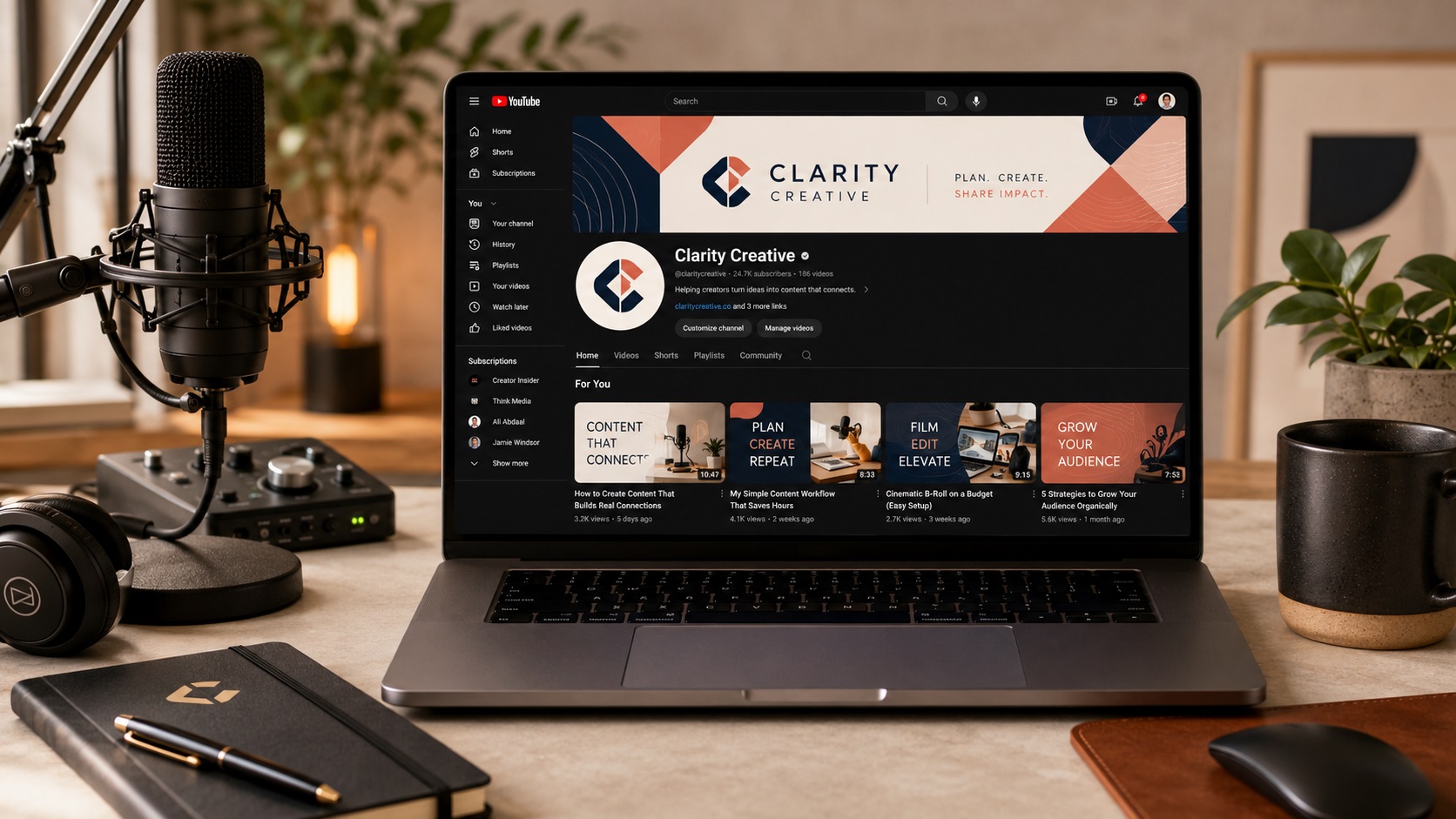
Podcasting and YouTube have made it easier than ever to build an audience around a specific topic or personality. Whether you are running a solo commentary show, an interview podcast, or a video channel, your branding is one of the first things potential listeners and viewers notice before they ever hit play.
Logo and branding files for digital media have their own set of requirements. They differ from print in some ways, but having a vector source file is still the foundation that makes everything else easier. Here is how vector files apply specifically to podcast and YouTube branding.
Where Your Logo Shows Up in Podcast and YouTube Branding
The number of places a podcast or YouTube logo gets used is bigger than most creators realise when they are starting out.
Podcast cover art: This is the main thumbnail that appears in every podcast app, from Spotify and Apple Podcasts to Pocket Casts and Overcast. It is typically a square image and needs to look sharp at both large sizes (when displayed on a big screen or in a podcast directory) and very small sizes (when shown as a tiny thumbnail in a playlist).
YouTube channel icon: A small square or circular image that represents your channel in search results, video recommendations, comments, and your channel page.
YouTube channel art: The large banner image at the top of your channel page. This is displayed at different sizes and aspect ratios depending on whether it is viewed on a phone, a tablet, a desktop, or a TV. The logo or channel name in this image needs to be positioned in a safe zone that does not get cropped on any screen size.
Video thumbnails: Most YouTube creators use a consistent thumbnail design that includes their logo or channel name. Custom thumbnails appear in search results and in suggested video feeds.
Lower thirds and overlays: For video content, your logo often appears as a watermark in the corner of the video or as a lower third graphic during interviews or sponsored segments.
Social media profiles: Your podcast or channel logo needs to work on Instagram, Twitter, LinkedIn, Facebook, and any other platform where you promote your content.
Merchandise: Once a show builds an audience, branded merchandise becomes an option. Shirts, mugs, tote bags, and stickers all require vector files for print production.
Guest appearances and media kits: When you appear on other shows or pitch to sponsors, a media kit that includes your logo in high quality is expected. Press mentions and collaborator graphics also need your logo in a usable format.
Why a PNG Logo Is Not Enough Long Term
Many creators start with a logo made in Canva or designed by a cheap service that only delivers a PNG. For the first few months this often works fine because the early use cases are all digital and at predictable sizes.
The problems start when:
- The show gets big enough that someone wants to put it on merchandise
- A sponsor wants to co-brand something and their designer asks for a vector file
- A podcast network or media company wants to feature the show and needs high-quality artwork
- The creator decides to update the show's visual identity and needs editable source files
- A YouTube thumbnail template requires the logo at a non-standard size
Having a vector version of your podcast or channel logo from the beginning means none of these situations become problems.
Setting Up Podcast Cover Art Properly
Podcast cover art has specific size requirements set by the major podcast directories. Apple Podcasts requires a minimum of 1400 by 1400 pixels and a maximum of 3000 by 3000 pixels in JPEG or PNG format at 72 DPI. Most other platforms follow similar specifications.
For your logo within the cover art, starting from a vector gives you the flexibility to resize the logo element independently of the background without any quality loss. A logo that is placed as a small PNG within a larger cover art canvas will show soft edges and lower sharpness than one placed as a vector or exported from a vector at the required resolution.
The cover art should also be designed to work at very small display sizes. At 55 by 55 pixels in a playlist view, a complex logo with fine text becomes unreadable. Bold, simple designs that remain recognisable as a thumbnail are more effective for podcast branding than detailed illustrations.
YouTube Channel Art and the Safe Zone Problem
YouTube channel art displays differently on different devices. A desktop browser shows a wider crop. A mobile phone shows only the central portion. A TV shows the full image. This means your most important content, your channel name, logo, and any key visual elements, must sit within a specific safe zone that does not get cropped on any device.
YouTube provides a template showing the safe zone dimensions. Building your channel art within this template, with your logo placed inside the safe zone, ensures it displays correctly everywhere.
A vector logo can be positioned and resized within this template at any size without quality loss. A PNG logo has to be sized carefully from the start to avoid looking soft when the channel art is displayed at its larger sizes.
Logo Watermarks in Video Content
Many creators place a semi-transparent logo watermark in the corner of their videos as a consistent branding element. This can be done in video editing software or added as a persistent overlay in YouTube's settings.
For video use, the logo needs to be a PNG with a transparent background so it sits cleanly over video content without a white box. A clean vector export as a high-resolution PNG with transparency is the best starting point for this use case.
Media Kits and Sponsor Decks
Once a podcast or YouTube channel reaches a meaningful audience size, sponsorship conversations become possible. Sponsors and agencies will ask for a media kit, which typically includes audience demographics, download or view numbers, and brand assets including the show logo.
Providing a vector file as part of a media kit signals professionalism and makes it easy for sponsors to use your logo in their own materials if they feature you in a newsletter, social post, or co-branded campaign.
Frequently Asked Questions
What size should my podcast cover art be?
Most platforms including Apple Podcasts and Spotify recommend 3000 by 3000 pixels in JPG or PNG format. Designing at this size ensures your artwork looks sharp across all platforms and future-proofs it for any platform that increases resolution requirements.
Can I use Canva to create my podcast cover art?
Canva works well for creating podcast cover art and can export at the required resolution. The limitation is that any logos placed in Canva are raster elements unless you upload an SVG. Starting from a vector logo gives better quality results in the final export.
Do I need a different logo for my podcast versus my YouTube channel?
Not necessarily, but the artwork is typically formatted differently. Podcast cover art is always square. YouTube channel art is a wide banner format. A single vector logo can be adapted to both formats without quality issues.
What format should I give to a video editor or graphic designer for my show branding?
AI or EPS for full editorial control, SVG if they prefer that format, and a high-resolution PNG with transparent background for video overlays and digital use. Having all of these available means they can use whatever fits their workflow.
When should I invest in proper vector branding for my show?
As early as possible is the honest answer. The cost of getting a logo vectorized is low compared to the cost of redoing all your branding assets later when you need files for merchandise, sponsors, or a network. Starting right saves time and money later.
Need artwork converted?
VectorFixer can redraw logos, convert PNG files to SVG, and prepare clean production-ready vector files.
Contact Us