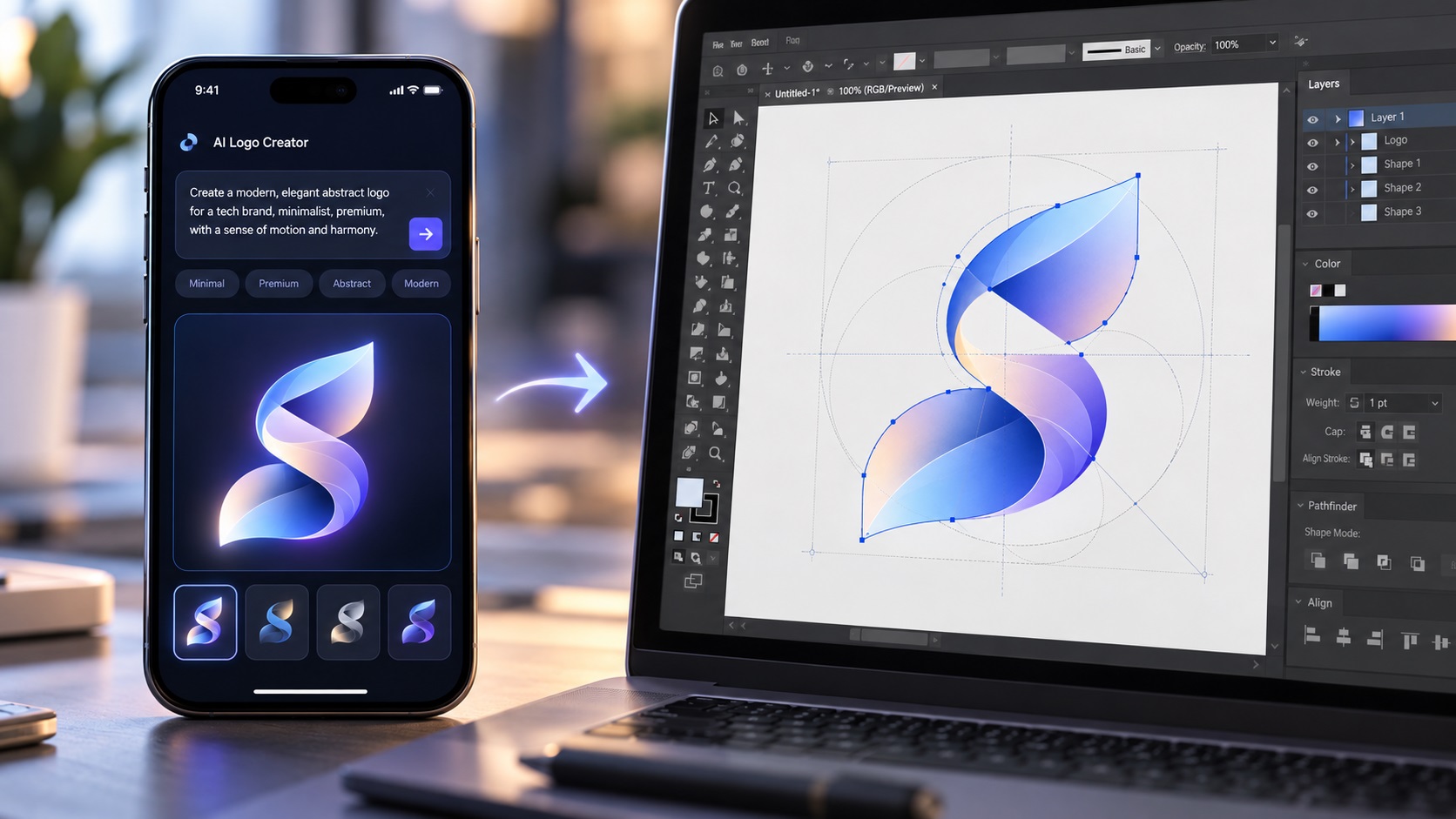
Recent design industry data suggests that AI-generated tools now account for around 40 percent of small business logo designs. That number makes sense. AI logo generators and AI image tools have made it faster and cheaper than ever to arrive at something that looks like a professional logo. For a business with a tight budget and a launch deadline, the appeal is obvious.
But that same figure tells another story. Forty percent of small business logos are now starting life as raster images with all the production limitations that entails, and many of their owners do not yet know it.
Here is what is actually happening at scale in small business branding right now, and what it means for businesses on the receiving end of the file quality question.
What AI Logo Tools Actually Deliver
Every AI logo generation tool, whether it is a dedicated logo maker, Midjourney, DALL-E, Adobe Firefly, or any other generative image tool, outputs a raster image. PNG and JPG are the standard outputs. The image may look polished, detailed, and entirely professional on a screen.
What it is not is a vector file. And what it is not is a production-ready brand asset.
This is not a criticism of the tools. They were built to generate visual concepts quickly and accessibly. They were not built to produce the structured file formats that professional print production, signage, embroidery, vinyl cutting, and other physical applications require.
The gap between what AI logo tools deliver and what professional production requires is the same gap that has always existed between a raster image and a vector file. AI tools have simply introduced that gap to a much larger number of businesses at a much faster rate than before.
The Specific Problems AI-Generated Logos Create
Soft or Garbled Text
Text in AI-generated logos is one of the most consistent problems. The current generation of AI image models does not have reliable control over text rendering. Business names appear with subtly wrong letterforms, uneven spacing, or characters that are almost right but contain small distortions that are visible when examined closely.
This becomes a significant issue when the logo is scaled up for signage or printed at high quality on business cards, where clients and customers are looking closely.
Hidden Micro-Gradients
Even logos that appear to have flat, solid colors in an AI output often contain hundreds of slightly different color values when examined at the pixel level. JPEG compression and the statistical nature of how AI models generate images both contribute to this. What looks like a clean navy blue is actually dozens of slightly different shades of navy.
For any production method that works with flat separated colors, screen printing, embroidery, pad printing, vinyl cutting, this makes the file unusable without significant cleanup.
Raster-Only Output
The output is pixels. For web use this is often fine. The moment the logo needs to go on a sign, a vehicle, a garment, a label, or any physical surface that requires a print vendor, the PNG hits its limits. Print vendors ask for EPS or AI. Sign companies ask for vector. Embroidery services ask for a clean source file. The AI output does not qualify as any of these.
No Color Specification
AI tools generate colors that look a certain way on screen in RGB. There are no CMYK values, no Pantone references, no defined color system that a printer can work from. Every print vendor who receives the logo has to make their own decision about how to convert the colors, which leads to inconsistency across different vendors and different production runs.
What Professional Cleanup Actually Involves
For an AI-generated logo, the cleanup process is more involved than a standard vectorization of a clean PNG logo.
Rebuilding the text: Because AI-generated text is almost never accurately letterformed, the text in the logo is typically rebuilt entirely from scratch using either a matching font or custom letterform work. This produces clean, accurate, print-ready typography rather than tracing the imperfect AI output.
Resolving the color structure: The micro-gradients and color noise in the image are resolved into a clean, defined color palette. Each color area becomes a flat fill with a precise color value. The number of colors is reduced to what the logo actually intends rather than the hundreds of color variations the AI output contains.
Rebuilding shapes as clean paths: The shapes in the design are redrawn as proper vector paths with smooth curves and clean anchor point structure rather than traced from the pixel edges of the raster image.
Defining brand colors: As part of the cleanup, CMYK and Pantone values are defined for each color. This gives the business a proper color specification they can provide to any future print vendor.
The result looks like the AI concept but is built correctly. It is not a traced version of the AI image. It is a professionally redrawn interpretation of the design that can be used anywhere the business needs it.
Why This Is Going to Keep Being a Growing Need
AI logo tool adoption is not slowing down. The tools are getting better at generating compelling visual concepts and they are reaching more businesses with less design knowledge than before.
As those businesses grow, their branding needs grow. A business that launched with an AI logo and has been using it digitally for a year will eventually need signage, printed materials, embroidered uniforms, or packaging. At that point, the file problem surfaces.
For businesses that are serious about their brand, getting the AI logo properly cleaned up and vectorized before those production needs arrive is the smarter move. For businesses that discover the problem mid-order, it is still fixable. The file can be rebuilt from the AI output regardless of when the work gets done.
Is This Different From Getting Any Logo Vectorized?
Yes, in a few specific ways. A clean PNG logo from a competent designer is usually well-structured and has clean edges. Vectorizing it is largely about converting the file format.
An AI-generated logo has the additional issues of garbled text, micro-gradients, and soft edges that need active resolution rather than just conversion. It typically takes more work than vectorizing a clean designer-produced PNG, and the result is more of a redraw than a trace.
This is not a reason to avoid AI-generated logos. The design concepts AI tools produce can be excellent starting points. It is simply a reason to understand what the cleanup process actually involves and budget for it as part of the overall brand setup cost.
Frequently Asked Questions
I like my AI logo concept but want it to be production-ready. How long does cleanup take?
For most AI logos, professional cleanup and vectorization takes one to two business days. More complex designs with many elements or intricate detail may take a little longer.
Will the cleaned-up version look exactly like my AI logo?
Very close, but with improvements. The shapes will be cleaner, the text will be properly formed, and the colors will be correctly defined. The overall design character and visual impression will match the original concept closely.
Can I just run my AI logo through an online converter?
Online converters produce technically vector files from raster inputs but they trace the pixel edges including all the noise, micro-gradients, and imperfections in the AI output. The result is a vector file that is still messy and usually not acceptable for professional production. Manual cleanup produces a genuinely usable file.
My AI logo has my business name in it and the text looks correct to me. Do I still need cleanup?
Look closely at the letterforms at high zoom. AI-generated text that looks correct in a thumbnail often shows subtle distortions, inconsistent stroke weights, or characters that are almost right but not quite. At business card size and larger these become visible. Rebuilding the text from a proper font produces cleaner results.
Is there a way to tell before ordering whether my AI logo will need a lot of work?
Zoom into the text and look for distortions. Check whether the colors look flat or have subtle noise when viewed close up. Look at edges for softness. The more of these issues are present, the more involved the cleanup will be.
Need artwork converted?
VectorFixer can redraw logos, convert PNG files to SVG, and prepare clean production-ready vector files.
Contact Us