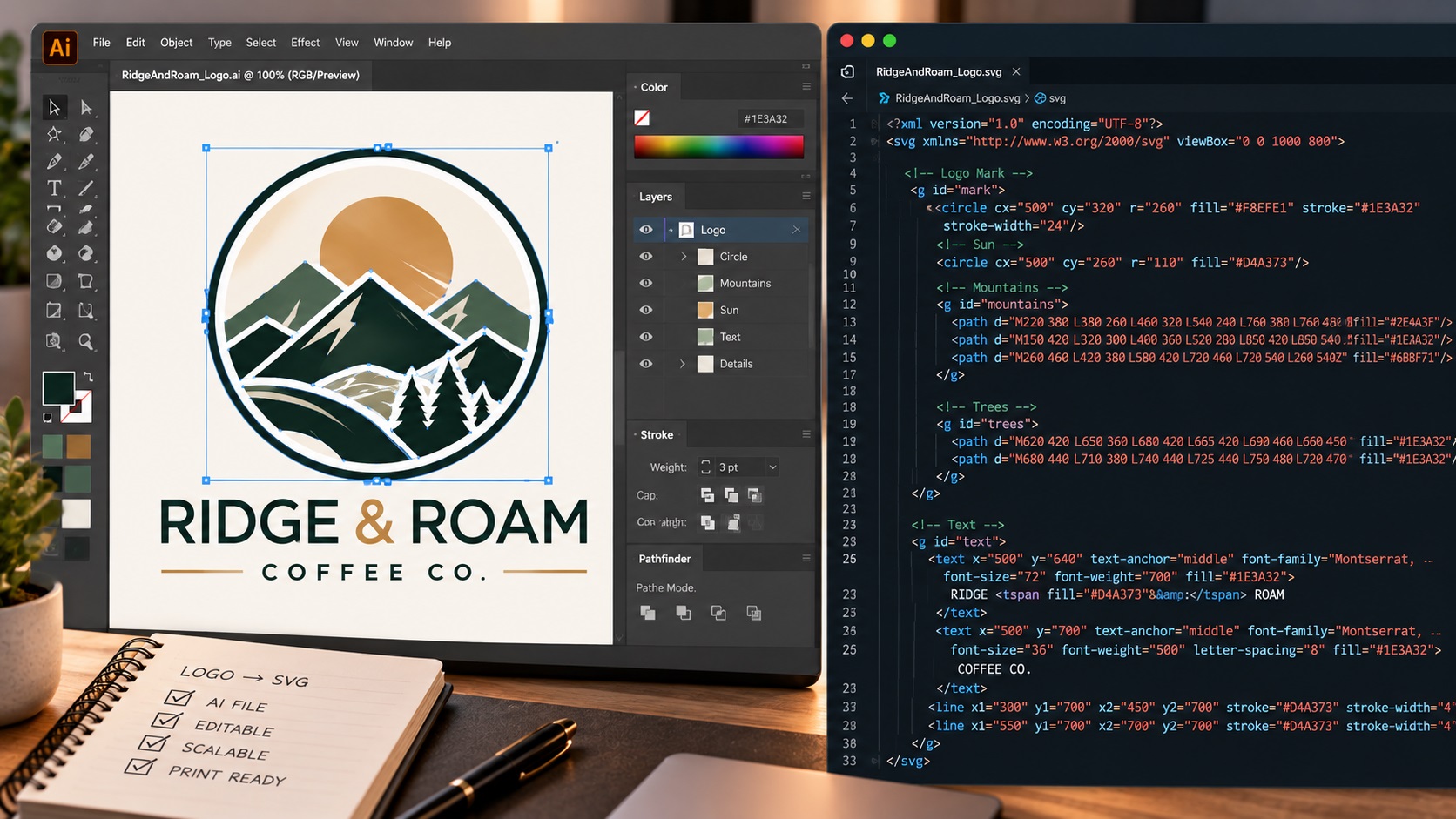
For years the answer to this question was simple and universal: no. Every AI image generator, every AI logo tool, every generative design platform output raster images. PNG, JPG, or occasionally a PDF with a raster image inside it. Technically a vector file, never.
In 2026 that answer is no longer quite so simple. A small number of AI tools, most notably Recraft, have begun offering SVG output alongside their standard raster exports. The claim is compelling: AI-generated artwork in a scalable vector format that can be used for production directly.
But what does an AI-generated SVG actually look like inside? Is it a genuinely clean production-ready vector, or is it technically an SVG file with something much messier underneath? And what does this mean for businesses who receive one?
What Recraft and Similar Tools Are Doing
Recraft, as of its V4 release, offers SVG output for certain types of illustrations and logo concepts. The tool generates artwork and then converts it to SVG format, producing a file that is technically a scalable vector graphic.
Some other AI tools and platforms have followed with similar claims. The category of AI tools that output SVG is genuinely new and genuinely different from what was available even twelve months ago.
This is a meaningful step forward and worth acknowledging. The direction of travel is correct.
What Is Actually Inside an AI-Generated SVG
Here is where it gets technical and where the nuance matters for anyone using these files for professional production.
There are fundamentally different ways an SVG file can be constructed:
A clean hand-built vector SVG contains geometric paths, defined anchor points, smooth bezier curves, and flat color fills. Every shape is described mathematically. The file is small relative to the design complexity and scales perfectly at any size.
A raster image embedded in an SVG wrapper contains a base64-encoded raster image sitting inside SVG code. Technically it is an SVG file. Practically it is a PNG or JPG inside an SVG container. It does not scale without quality loss. It is just as limited as the original raster image.
An AI-generated SVG with traced paths contains vector paths that were automatically generated from the AI's raster output. This is better than a raster-in-SVG wrapper, but the paths have all the problems of auto-traced files: excessive anchor points, jagged curves, incorrect color structures, and fragmented shapes.
When you open an AI-generated SVG from most current tools in Illustrator, you will typically find one of the latter two rather than the first. The SVG label is accurate. The production-readiness varies significantly.
How to Check What You Have
If you have an SVG file from an AI tool and want to know whether it is genuinely production-ready, here are the checks:
Open it in a text editor. Look for long strings starting with data:image or base64. If you find them, the SVG contains embedded raster images. It is not a true vector SVG.
Open it in Illustrator and zoom in to 500 percent. If curves are smooth with minimal anchor points, it is well-structured. If you see jagged edges or dozens of anchor points on simple curves, it was auto-generated from a raster source.
Check the file size. A clean vector SVG of a simple logo should be a few kilobytes. An SVG with embedded raster data or excessive auto-traced paths may be hundreds of kilobytes or larger.
Count the colors. Open the Swatches panel. A logo with three intended colors that shows thirty swatches has AI-generated color noise from the raster source.
What AI SVG Output Is Currently Good For
To be fair to these tools, their SVG output is genuinely useful in some contexts even when it is not production-grade in the strictest sense:
Web display. An AI-generated SVG that is well-structured will scale more cleanly than a PNG on high-resolution screens, even if the internal path structure is not perfect by professional standards.
Concept exploration. Having an SVG that roughly represents the intended design is a useful starting point for a designer who will rebuild the actual production file from it.
Simple geometric logos. For very simple designs with minimal curves and limited colors, AI-generated SVG output can sometimes be clean enough for production use without additional work. The simpler the design, the better the AI's SVG output tends to be.
What AI SVG Output Currently Cannot Reliably Do
Replace professional vector tracing for logos with text. AI-generated text in SVG format has the same garbled letterform problems as in raster output. The SVG paths for letterforms traced from AI-generated text are typically inaccurate.
Produce files acceptable to professional print vendors. Screen printers, sign shops, and embroidery services need clean AI or EPS files with correct color structure. An AI SVG with hundreds of micro-color fills or embedded raster data will be rejected or require significant cleanup.
Match Pantone or CMYK color specifications. AI-generated SVGs define colors as hex or RGB values from the generated image. They do not contain CMYK or Pantone specifications needed for professional print production.
Handle complex designs reliably. The more complex the logo, the more the AI's SVG output diverges from a clean professional vector. Complex curves, fine detail, and multi-color designs all produce worse SVG output from current AI tools.
The Practical Takeaway for Businesses
If you generate a logo concept using Recraft or another AI tool that offers SVG output, the SVG is a better starting point than a PNG for the purposes of eventual vectorization. A designer or vectorization service has cleaner material to work from in some cases.
It does not mean the SVG is ready to send to a printer, sign company, or embroidery service. The checks above will reveal whether the file is genuinely production-ready or whether it needs professional cleanup and reconstruction.
The honest position in 2026 is that AI tools are getting closer to genuinely useful SVG output for simple designs, and the technology is moving in the right direction. For most professional production contexts with real logos and real brand requirements, a professionally built or professionally cleaned vector file is still the reliable standard.
Frequently Asked Questions
Recraft says its SVG output is production ready. Is that accurate?
For simple, low-complexity designs it can sometimes be adequate. For logos with text, complex shapes, or multi-color structures, independent verification through the checks described in this article is worthwhile before sending to a production vendor.
If an AI tool gives me an SVG, do I still need to get it professionally vectorized?
Depend on the quality of the specific SVG output. Run the checks above. If the file has embedded rasters, excessive anchor points, or incorrect color structure, professional cleanup or retrace is still needed. If it passes the checks, it may be usable for some production contexts.
Is this going to change quickly? Will AI tools produce perfect vectors soon?
The technology is improving. The fundamental challenge is that current AI image generation is a statistical process that produces raster output, and converting that to clean vector geometry is a non-trivial problem. Clean vector output from AI is a real goal the industry is working toward. We are not there yet for complex professional logo use cases.
My AI logo SVG was rejected by a sign company. What do I do?
Have it professionally redrawn from the SVG or from the original raster as a clean manually constructed vector. The SVG gives the designer a starting reference even if it cannot be used for production directly.
Need artwork converted?
VectorFixer can redraw logos, convert PNG files to SVG, and prepare clean production-ready vector files.
Contact Us