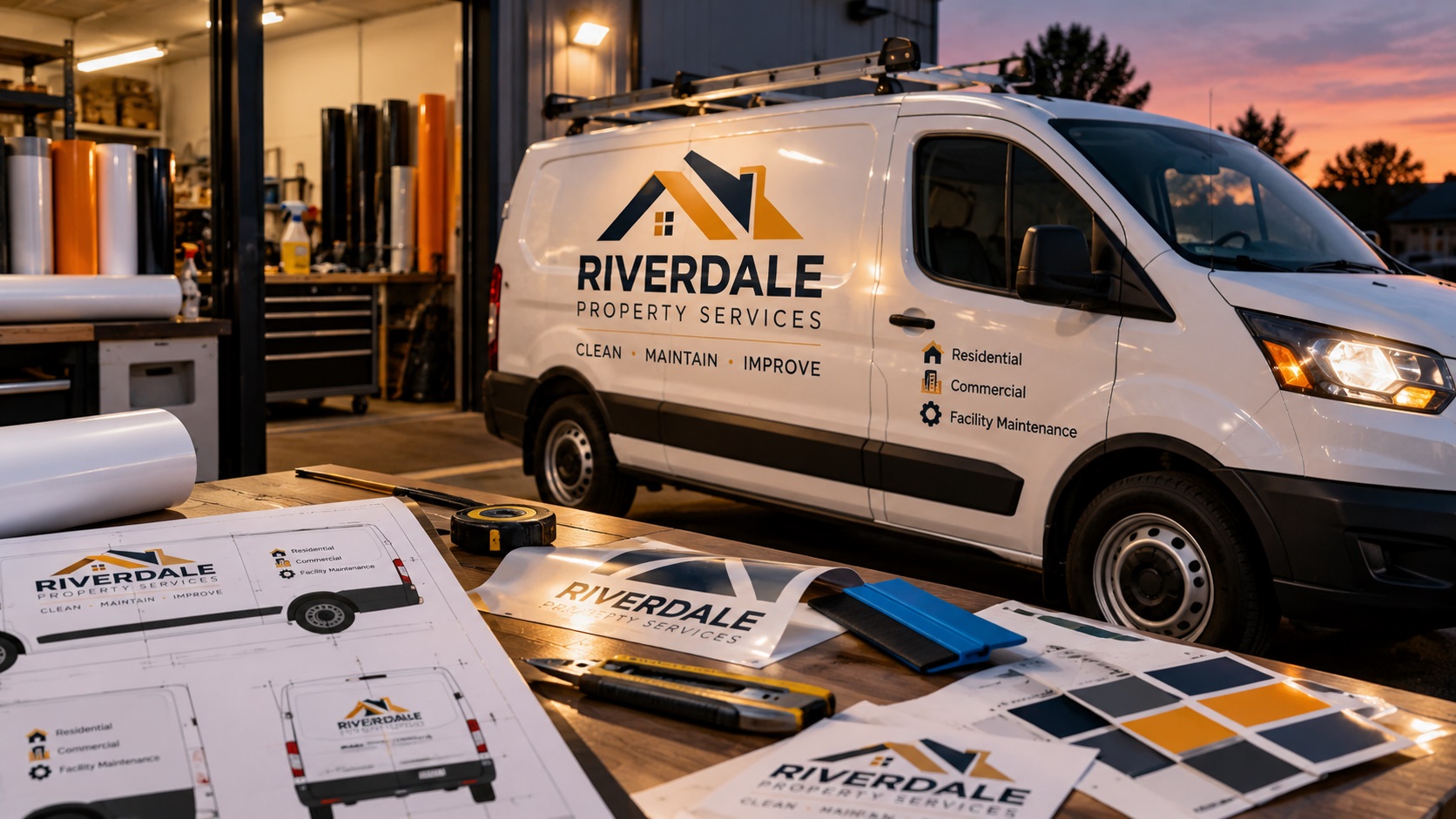
A service van can be a moving advertisement during the day and almost invisible after dark. That is one reason contractors, utility teams, delivery businesses, and fleet operators ask sign shops about reflective logos and lettering.
But ordering reflective decals is not the same as sending a normal logo to a sticker printer.
The sign shop needs to know whether you want letters cut from reflective vinyl, a full-color design printed on reflective film, or a larger fleet graphic with reflective accents. Each option changes how the artwork should be prepared.
If your business is getting reflective door logos, vehicle numbers, or fleet lettering, here is what to check before production.
What is reflective vehicle vinyl?
Reflective vinyl is a material designed to return light toward its source. When headlights shine on suitable reflective graphics, they can appear much brighter than ordinary colored vinyl.
That can make branding easier to notice under the right conditions. It does not make a vehicle logo into a substitute for legally required safety markings.
Reflective materials differ in brightness, color, application surface, durability, and suitability for printing or cutting. Your sign shop should specify the actual film series for the job.
For company vehicles, reflective graphics may include:
- A business name on both doors.
- Phone numbers or web addresses.
- Unit and fleet identification numbers.
- Simple logos or badges.
- Small reflective accents alongside printed branding.
The best approach depends on the vehicle, budget, and intended visibility.
First decide: cut reflective lettering or printed reflective graphics?
This choice affects the file more than many buyers realize.
Cut reflective lettering
Individual letters and shapes are cut from a sheet of solid-color reflective film.
The plotter follows vector paths. A clean logo can be cut into separate pieces or grouped for installation.
Cut lettering is well suited to simple wordmarks, numbers, and strong shapes with limited colors.
Printed reflective graphics
Some compatible reflective films can be printed with full-color artwork. These may support more colors and illustration detail than cut lettering.
However, the printed color and laminate can change the visual effect and brightness of the reflective material. Not every reflective film is intended for the same printing process.
Ask the sign shop which film, ink, laminate, and print method it plans to use before treating the artwork as ready.
Reflective accents on a regular wrap
A third option is to keep most of the existing vehicle wrap nonreflective and add selected reflective components.
For example, a contractor may use a conventional printed logo but add reflective phone-number lettering or selected border shapes.
The artwork should clearly separate those pieces so the shop knows what is printed and what is cut from reflective film.
Why your existing PNG may be rejected
A transparent PNG can look fine on a website, but a vinyl plotter cannot reliably follow pixels as if they were clean cut paths.
For cut reflective lettering, a proper vector file is normally the best starting point.
Common source formats are AI, EPS, SVG, and vector PDF, subject to the shop's software.
A PDF is not automatically a vector file. It may contain a JPG or PNG placed inside a PDF page.
If the sign shop opens your file and finds only a flattened image, someone may need to rebuild the logo as editable shapes.
VectorFixer's logo vectorization service can recreate a blurry or raster-only logo as cleaner vector artwork. Keep that vector master for future signs and other production orders.
Thin lines are harder to cut and install
Consider a logo with delicate script lettering, tiny decorative lines, and a long slogan.
At the size of a full-size sign, those features might look attractive. When the same design is cut into individual pieces of reflective vinyl, they may become fragile.
Very narrow strokes can be difficult to weed, transfer, and apply. Tiny isolated pieces can also be easy to lose during installation.
There is no reliable universal minimum stroke width for every material, plotter, and installer.
Ask the vendor for its actual limits for the film and size you are ordering.
If the logo is too delicate, you may need a slightly heavier lettering version or a simpler fleet-specific variation.
Why you should check small text before ordering
A van often needs only a few seconds to communicate the business name and service.
Long slogans, lengthy URLs, and multiple phone numbers can make the layout harder to read from a distance.
Before preparing the production file, view the design at the expected physical size and consider the typical viewing distance.
Keep important information prominent. If the business name is the main selling point, do not sacrifice it to fit four extra lines of text.
The sign shop can also advise whether the vehicle door provides enough flat area for the chosen size.
Do vehicle decals need cut contours?
If the lettering is cut from solid vinyl, the letter outlines themselves are the cut geometry.
For printed graphics that will be trimmed to a custom shape, the sign shop may request a separate contour-cut path.
Some workflows use a named spot color or a separate layer for this path. The exact name and setup depend on the print-and-cut software.
Do not guess that all shops use the same contour naming convention.
Ask whether the vendor needs:
- A separate cut layer.
- A specified spot-color name.
- Extra bleed outside the cut boundary.
- A transparent background.
- Any registration or production marks.
Then supply a production copy built to that shop's instructions.
What about gradients, metallic effects, and shadows?
Complex visual effects do not automatically translate to cut reflective vinyl.
A gradient is not a single solid-color sheet of film. A shadow may contain soft transparent pixels that a plotter cannot cut as separate vinyl shapes.
If your logo relies on these effects, discuss printed reflective film or a simplified flat-color logo with the sign shop.
A clean one-color version is useful even if the full-color brand logo remains unchanged.
The goal is not to remove the brand's personality. It is to create a version that can be manufactured accurately.
Reflective colors are not the same as screen colors
The bright blue you see on a laptop may not match the available reflective blue film.
A brand hex code describes a screen color; it does not specify an exact reflective material.
For a consistent fleet, ask the sign shop to identify the film series and color for each vehicle.
If the brand color is critical, request a physical film sample or print proof under appropriate lighting.
Remember that reflective appearance can change between daylight and headlight illumination.
For multiple vans, using the same approved material and artwork specifications matters more than simply sending the same PNG each time.
Design around the actual vehicle panels
A logo that fits on one van door may intersect a handle, side molding, seam, sliding-door track, or body curve on another model.
Do not place important letters where they could be split by moving panels or obstructed by hardware.
Ask the shop to work from the correct make, model, year, and body configuration.
Supply photos of the actual vehicle if the sign shop requests them, especially when aftermarket racks, handles, or accessories are installed.
A proof on a real vehicle template is more useful than a logo floating over a generic rectangle.
Should you outline the lettering?
If the file uses live fonts, the receiving software may substitute a different font when it is opened.
For a final approved wordmark, converting text to vector outlines can preserve the intended letter shapes.
Keep a separate editable copy in case your phone number, website, or business details change later.
Outlining fonts does not solve tiny-lettering problems by itself. The lettering still needs to be large and sturdy enough to cut, install, and read.
What should be included in the sign-shop handoff?
The cleanest handoff is a small, organized production package.
Send:
- A vector logo master in a supported format.
- The exact business name, numbers, and website text.
- The intended finished dimensions or the shop-approved layout.
- The vehicle's make, model, year, and configuration.
- A clear note showing which parts should be reflective.
- The chosen reflective material and color, if agreed.
- A reference image or approved design proof.
- Any requested contour-cut or installation layers.
When you have both a full-color logo and a single-color fleet version, label them clearly so the shop does not accidentally use the wrong one.
Print-ready artwork preparation is useful when your vendor has supplied file instructions but your existing logo is not in the required format.
What to avoid before approving the job
A few mistakes commonly create unnecessary revisions.
Sending a screenshot: It is a visual reference, not reliable cut artwork.
Making the letters too small: A word that looks sharp when zoomed in may be difficult to weed and unreadable on the moving vehicle.
Assuming all reflective vinyl behaves alike: Material selection, durability, curve compatibility, and lamination vary.
Ignoring the door layout: A seam or handle can interrupt a perfectly good design.
Skipping a final proof: The real proof should show size, placement, content, colors, and reflective versus nonreflective areas.
Frequently asked questions
Can a sign shop make reflective decals from my PNG logo?
Many shops can use a PNG as a reference. For individually cut letters or shapes, the shop will usually need clean vector geometry and may charge for rebuilding it.
Does an SVG guarantee the design is ready to cut?
No. An SVG may contain embedded images, masks, rough traced paths, or very thin pieces. The shop still needs to inspect the actual cut geometry.
Will reflective lettering look exactly like my normal vinyl logo?
Not necessarily. Film colors, light conditions, print layers, and surface finish affect appearance. Ask for physical samples if the match is important.
Can a full-color logo be reflective?
Sometimes, when a suitable printable reflective film and compatible print process are used. The result is different from cutting every element from solid-color reflective vinyl.
Do reflective fleet logos replace official conspicuity markings?
No. If a vehicle is subject to regulated safety-marking requirements, confirm those requirements separately with the installer and relevant authority.
Get the artwork ready before installation
Reflective fleet graphics work best when the file matches the production method and the vehicle. Start with clean paths, readable lettering, and a clear distinction between printed and cut elements.
If you only have an old JPG, PNG, or messy auto-traced file, send it to VectorFix with the sign shop's specifications. The artwork can be reviewed and prepared as a reusable vector file without unnecessarily redesigning your brand.
Need artwork converted?
VectorFixer can redraw logos, convert PNG files to SVG, and prepare clean production-ready vector files.
Contact Us