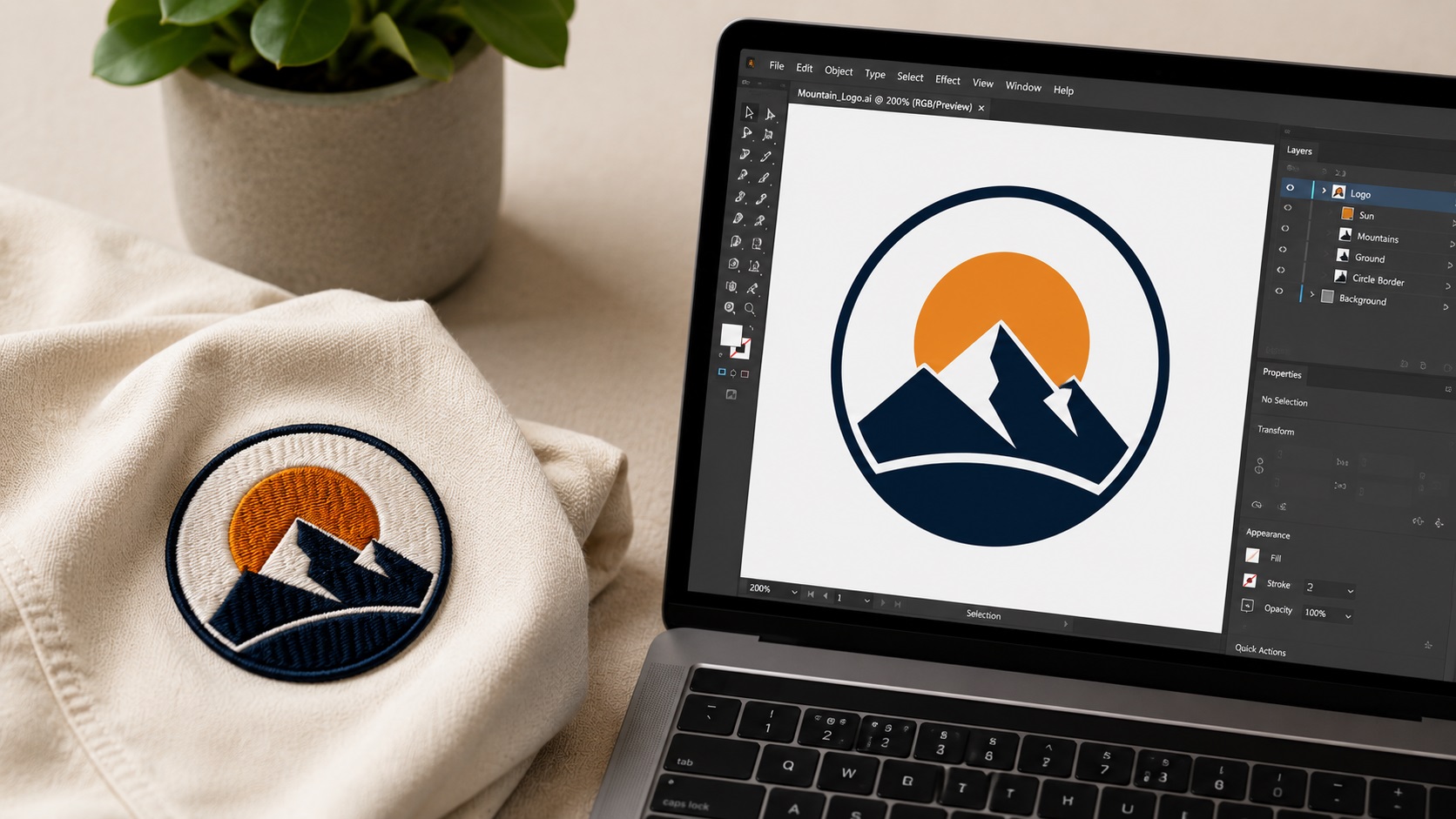
A logo that looks great printed on paper does not always look great stitched on a hat or a polo shirt. Thread behaves differently than ink. Tiny details that show up fine on a screen can turn into a blob of stitches once a needle gets involved. If you are about to send your logo to an embroidery digitizer, a little prep work up front saves you from a redo later.
Here is what you need to know before you submit your file.
What Does Digitizing Actually Mean?
Embroidery digitizing is the process of turning your logo into a stitch file. This file tells the embroidery machine exactly where to stitch, what direction to stitch in, what type of stitch to use, and which thread color to switch to at each step.
This is different from printing or vector tracing, even though it starts from a similar place. A digitizer takes your artwork and rebuilds it as a sequence of stitches rather than a sequence of paths or pixels. The output is usually a file format like DST, PES, or EXP, depending on the embroidery machine being used.
Why Your Logo File Matters Before Digitizing
The better your starting file, the better the final embroidered result. Digitizers work best from clean vector files such as AI, EPS, PDF, or SVG. These formats have crisp edges and clearly defined shapes, which makes it much easier to map out stitch paths accurately.
If you only have a raster file like a JPG or PNG, the digitizer has to interpret blurry edges, compression artifacts, and sometimes guess where one shape ends and another begins. This can lead to extra cleanup time, additional cost, or a final design that does not quite match your original logo.
Common Problems With Logos Sent for Digitizing
Too Much Fine Detail
Thread has a physical width. Tiny text, thin lines, and small details that look fine on a screen often cannot be reproduced accurately in stitches. A good rule of thumb is to keep text at least a quarter inch tall. Anything smaller risks becoming an unreadable clump of thread.
Gradients and Shading
Just like screen printing, embroidery does not handle gradients well. A smooth color blend in your logo needs to be simplified into solid color blocks before it can be digitized properly. Thread comes in specific colors, not infinite blends.
Too Many Colors
Every thread color change means the machine has to stop, trim, and switch spools. More colors means longer production time and higher cost. Most logos work well with somewhere between two and six thread colors.
Low Resolution Source Files
If your only logo file is a small JPG pulled from a website or saved from an email, it might be too low quality to digitize accurately. The digitizer may need to redraw the logo as a vector first, which adds an extra step (and often an extra fee) to the process.
What Makes a Logo Embroidery-Friendly?
A few design choices make a big difference once your logo hits the embroidery machine.
Bold, Simple Shapes
Clean, bold shapes stitch out cleanly. Intricate line work or fine detail tends to get lost or look messy in thread.
Solid Colors Instead of Gradients
Flat, solid colors translate directly to thread colors. If your brand colors include gradients, you will need a simplified version for embroidery use.
Limited Color Palette
Fewer colors generally means lower cost and faster production. If your logo has many colors, ask your digitizer whether some can be combined or simplified without losing the brand's look.
Readable Text at Small Sizes
If your logo includes a tagline or small text, consider whether it actually needs to appear on embroidered items. Sometimes the icon alone works better for hats, polos, and patches, with the full logo (including text) reserved for larger items like jackets or bags.
Getting Your File Ready: A Quick Checklist
Before sending your logo for digitizing, check the following:
- Is your file a vector format (AI, EPS, SVG, or PDF) rather than a JPG or PNG?
- Are gradients and shadows removed or simplified into flat colors?
- Is the color count reasonable (ideally under six)?
- Is any small text at least a quarter inch tall in the final embroidered size?
- Do you know the exact size the logo will be embroidered at (left chest, hat front, sleeve, etc.)?
If you are missing a clean vector file, that is usually the first thing to fix. A professional vector trace gives your digitizer a solid foundation to work from, which often results in a better final stitch-out and fewer revisions.
Frequently Asked Questions
Can I send a PNG straight to an embroidery digitizer?
You can, but results vary. A clean, high-resolution PNG with simple shapes might work fine. A small, detailed, or low-quality PNG often needs to be redrawn as a vector first for the best result.
Will my embroidered logo look exactly like my printed logo?
Close, but not identical. Thread cannot replicate every gradient, shadow, or fine detail that ink or pixels can. A good digitizer will adapt your design to look great in thread while staying true to your brand.
How many thread colors should my logo have?
There is no hard limit, but two to six colors is common for most business logos. More colors increase cost and production time.
What file format will I get back from a digitizer?
Common embroidery file formats include DST, PES, EXP, and JEF. The right one depends on the embroidery machine being used.
Do I need a vector file before digitizing?
It is not always required, but it helps significantly. A clean vector file gives the digitizer accurate shapes to work from, which usually means a better result and fewer back-and-forth revisions.
Need artwork converted?
VectorFixer can redraw logos, convert PNG files to SVG, and prepare clean production-ready vector files.
Contact Us