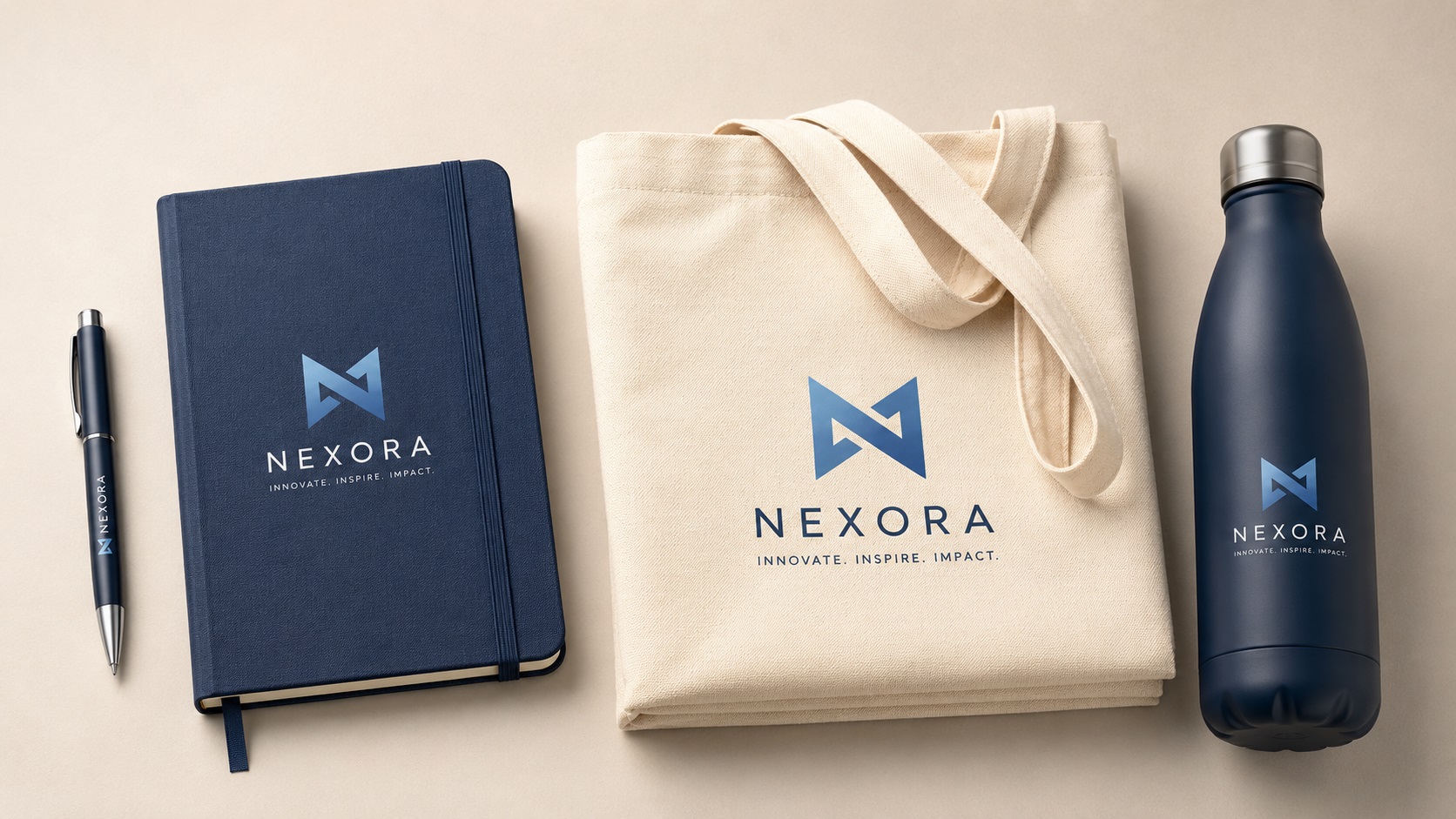
Promotional products are everywhere. Branded pens, notebooks, tote bags, USB drives, water bottles, keychains, and phone stands all get used as corporate gifts, event giveaways, and marketing materials. And every single one of them needs a logo.
What most people do not realise until they are mid-order is that promotional product suppliers have their own set of file requirements, and those requirements vary depending on the decoration method being used. Sending the wrong file can delay your order, add unexpected costs, or result in a logo that looks nothing like what you expected.
Here is how to get your logo ready for promotional products before you place your next order.
Why Promotional Products Are Different From Other Print Jobs
Regular printing puts ink on flat paper. Promotional products involve applying your logo to three-dimensional objects made from all kinds of materials including plastic, metal, fabric, leather, glass, and wood. Each material and each decoration method works differently, and the logo file needs to match the method being used.
The most common decoration methods for promotional products are screen printing, pad printing, laser engraving, embroidery, full color digital printing, and debossing or embossing. Each of these has different file format requirements, color limitations, and detail minimums.
Screen Printing on Promotional Products
Screen printing on bags, shirts, and flat surfaces works the same way for promotional products as it does for apparel. You need a vector file with flat separated colors. Gradients and fine detail are difficult. Each color adds cost and a separate screen.
For simple one or two color logo applications on tote bags, notebooks, or similar items, screen printing is cost-effective and produces clean results. A vector EPS or AI file with the logo in the correct colors is what most suppliers ask for.
Pad Printing
Pad printing is used for logos on curved or uneven surfaces like pens, keychains, mugs, and small plastic items. A silicone pad picks up ink from an etched plate and transfers it to the surface of the product.
Pad printing works best with simple, bold designs in one to four colors. Very fine detail and small text can be lost in the transfer process. The logo needs to fit within the pad printing area of the specific product, which is often quite small.
A vector file is required. The supplier will tell you the maximum imprint area dimensions for the product you are ordering.
Laser Engraving on Promotional Products
Laser engraving removes material from the surface of metal, wood, leather, or certain plastics to create a permanent impression of the design. It produces a sophisticated, premium look that is popular for corporate gifts like pens, notebooks, hip flasks, and keychains.
As with all laser engraving applications, you need a single-color vector file. No gradients, no color, just clean black shapes on a white background. The laser burns wherever the artwork is black.
For logos with multiple colors, the full-color version needs to be converted to a clean single-color silhouette before it works for laser engraving. Fine detail can survive better in laser engraving than in embroidery or pad printing, but very small text still has minimum size requirements.
Full Color Digital Printing
Full color digital printing is used for products like mugs, phone cases, notebooks, and some apparel. It is similar to large format inkjet printing and can reproduce photographs, gradients, and complex multi-color designs.
For full color digital promotional printing, a high-resolution PNG or PDF at 300 DPI at the actual imprint size is typically required. Starting from a vector logo and exporting at the correct resolution gives the sharpest results, especially for logo text and hard-edged shapes.
Embossing and Debossing
Embossing raises the design above the surface of the material. Debossing presses it in. Both are common on leather goods, notebooks, and card holders. The effect is a tactile, premium impression of the logo with no color.
Like laser engraving, embossing and debossing require a single-color vector file. The design needs to be bold enough to read clearly as a raised or recessed impression. Very fine lines and small text may not survive the process at small sizes.
Tips for Getting Your Logo Ready for Promotional Products
Know Your Imprint Area
Every promotional product has a specific area where decoration can be applied. This is called the imprint area. Before building or adjusting your artwork, ask the supplier for the exact imprint area dimensions and fit your logo within those bounds.
Simplify Where Needed
Many promotional products use small imprint areas and limited decoration methods. A complex multi-color logo that works on a large banner may need a simplified single-color version for a pen or keychain. Having both versions ready, a full-color vector for large applications and a single-color vector for small or engraved applications, covers most situations.
Check Color Limitations for Each Method
Screen printing and pad printing are priced by the number of colors. Laser engraving and debossing are single-color by nature. Full color digital printing can handle unlimited colors. Knowing the color limitations of your chosen method helps you choose the right version of your logo.
Ask for a Proof Before Production
Most promotional product suppliers offer a digital proof or physical sample before committing to a full order. Always request this for new products or new suppliers. It is much cheaper to catch a problem at the proof stage than after hundreds of items have been produced.
Frequently Asked Questions
Can I use the same vector file for every promotional product?
The same source file works as a starting point, but you may need different exports for different methods. A full-color EPS works for screen printing, a single-color version works for laser engraving, and a high-resolution PNG works for full color digital printing.
My logo has a gradient. Can it be used on promotional products?
For screen printing, pad printing, laser engraving, and embossing, gradients need to be removed or simplified. For full color digital printing on mugs or phone cases, gradients can be reproduced.
What if the imprint area is very small?
Small imprint areas require a simplified version of the logo. Very small text and fine detail will not reproduce well at tiny sizes regardless of the decoration method. An icon-only version of the logo often works better than the full logo at very small sizes.
Does the supplier usually convert my file or do I need to do it myself?
Many promotional product suppliers have in-house art departments that can make basic adjustments. However, supplying the right file upfront avoids art fees, speeds up the order, and ensures the result matches your expectations rather than the supplier's interpretation.
What file should I have ready before contacting a promotional product supplier?
A clean vector AI or EPS file covering your full-color logo is the best starting point. A single-color black version of the same logo covers engraving and debossing applications. Having both ready means you can respond quickly to whatever the supplier asks for.
Need artwork converted?
VectorFixer can redraw logos, convert PNG files to SVG, and prepare clean production-ready vector files.
Contact Us