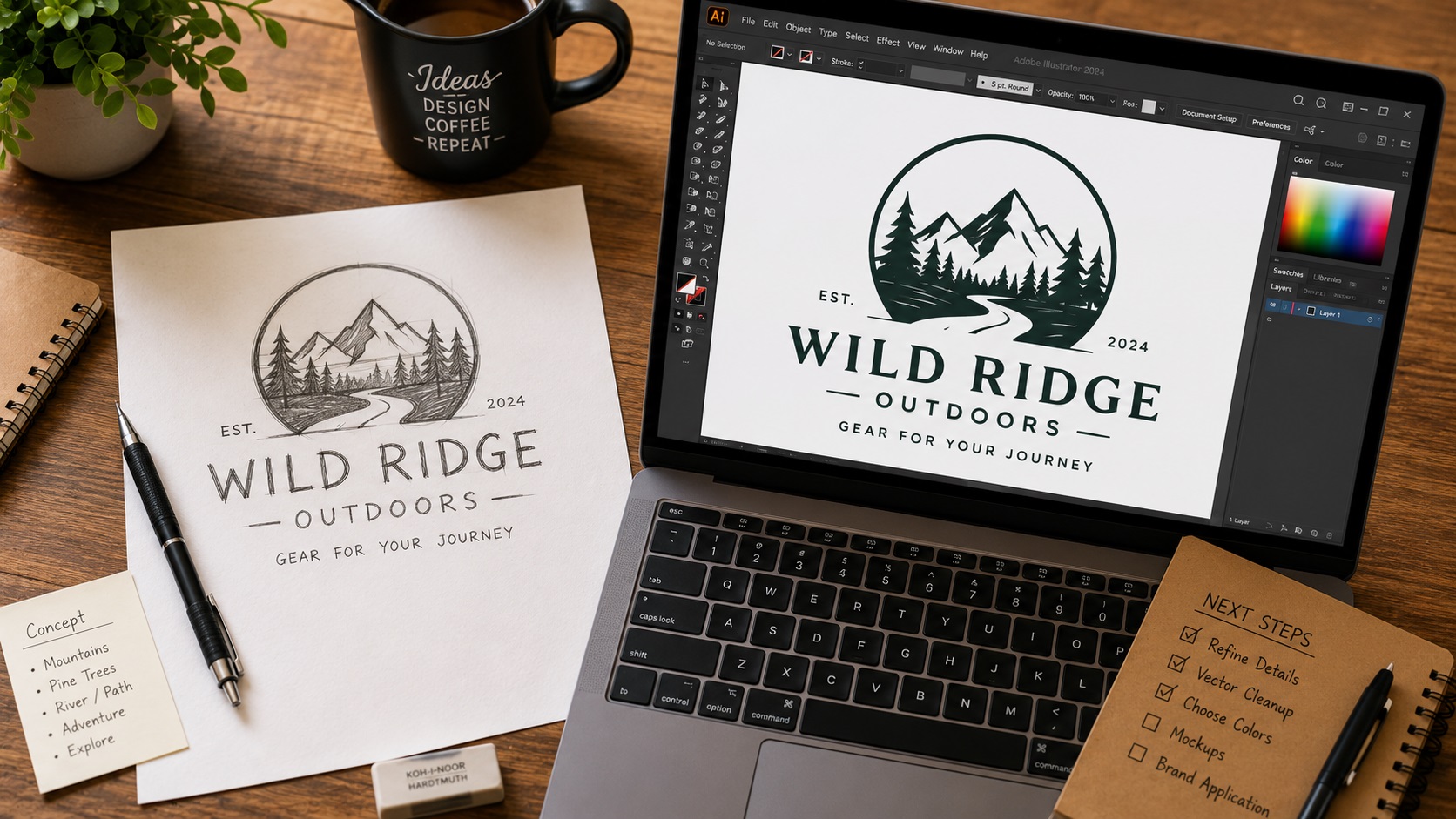
Some of the best logo ideas start on paper. A quick sketch on a napkin, a rough drawing in a notebook, a concept worked out in pencil before anyone opens a computer. Hand-drawn logos have a warmth and personality that is hard to fake in software, and a lot of businesses specifically want that hand-crafted feel as part of their brand.
The challenge is turning that sketch into a file that actually works for professional printing, signage, embroidery, and digital use. A photo of a pencil drawing is not a usable logo file, no matter how good the sketch is. Here is the process that takes a hand-drawn concept from paper to a professional vector file.
Step One: Get a Clean Scan or Photo
Before any digital work can happen, the sketch needs to be captured digitally as clearly as possible. This is worth doing carefully because the quality of the scan directly affects how much work the digitizing process requires.
For best results:
- Scan at a high resolution, at least 600 DPI, on a flatbed scanner if possible
- Use clean white paper with no ruled lines, grid marks, or texture if you can
- Ink over your pencil lines before scanning if the sketch is in pencil, since ink scans much more cleanly than pencil
- Make sure the sketch is well lit and in focus if you are photographing rather than scanning
- Avoid phone photos taken at an angle, as perspective distortion makes tracing harder
A clean, high-contrast black and white scan gives the best starting point for whatever comes next.
Step Two: Decide on Your Digitizing Approach
There are a few ways to go from a scanned sketch to a clean vector file, and which one makes sense depends on how complex the drawing is and how closely you want the final version to match the original.
Keeping the Hand-Drawn Feel
If the appeal of your logo is specifically its hand-drawn character, including the slight imperfections and natural line variation, the goal is to preserve that feeling in the vector version. This means tracing the actual lines of the sketch rather than cleaning them up into perfectly smooth geometric curves.
A skilled designer can trace the organic lines of a hand-drawn sketch by hand in Illustrator using the pen tool, recreating the slight wobble and natural variation in the strokes while still producing a clean, usable vector file. The result looks genuinely hand-drawn but is also scalable and print-ready.
Cleaning It Up Into a Polished Vector
Alternatively, the sketch might be intended as a concept only, with the final logo meant to be a clean, polished version of that idea rather than a literal recreation of the drawing. In this case, a designer uses the sketch as a reference and rebuilds the logo from scratch with smooth curves, consistent line weights, and precise geometry.
This produces a more conventional-looking logo that is easier to use across different sizes and applications, but it loses the handmade quality of the original sketch.
Neither approach is better than the other. It depends entirely on what you want the finished logo to look and feel like.
Step Three: Vectorizing the Sketch
Once the approach is decided, the actual vectorization work begins. For hand-drawn sketches specifically, automatic tracing tools like Illustrator's Image Trace are rarely the right answer.
Automatic tracing follows every imperfection in the scanned lines, including paper texture, scan noise, and uneven ink coverage. For a sketch, this produces a file with an enormous number of anchor points following every tiny irregularity rather than the actual intended shapes. The file is technically a vector but it is messy, hard to edit, and often does not look right when printed.
Manual tracing by a designer produces a much cleaner result. The designer looks at the sketch and redraws the key shapes and lines with deliberate, smooth paths. This is faster than it sounds for experienced designers and produces a file that is clean, editable, and ready for any use.
Adding Color and Typography
Most hand-drawn sketches are black and white. Once the sketch is vectorized, a designer can add color fills to the shapes, adjust stroke weights, and integrate any text elements that need to accompany the logo.
Typography is typically added as actual text set in a real font rather than traced from handwritten lettering in the sketch, unless the hand-lettered style is specifically part of the design. This keeps the text sharp and consistent across all sizes and makes future edits much simpler.
What You End Up With
A properly vectorized hand-drawn logo should give you:
- A clean SVG, AI, EPS, and PDF version of your logo
- The sketch character preserved if that was the goal, or a polished version if that was the intent
- Fully editable paths and shapes
- Correct color values defined for both screen and print use
- A file that works for print shops, sign shops, embroidery, web, and cutting machines
Your original sketch becomes the foundation for a professional logo that can go anywhere your brand needs to go.
Tips for Better Sketches Before Digitizing
If you are still at the drawing stage and planning to have the sketch digitized, a few habits make the process smoother.
Sketch larger rather than smaller. Bigger drawings have more room for detail and are easier to trace cleanly.
Use a single clean line rather than sketching tentatively with multiple overlapping strokes. Cleaner input means less interpretation work during digitizing.
Note your intended colors separately if the sketch is black and white. A note like "icon is dark green, text is black" saves back-and-forth later.
If you want certain elements to be separate layers (for example, the icon separate from the text for versatility), mention this when you submit your sketch for vectorizing.
Frequently Asked Questions
Can any sketch be turned into a vector logo?
Yes, as long as the design is visible and the intent is clear. Very rough or faint pencil sketches sometimes require interpretation, and inked sketches are generally easier to work from. Providing the clearest scan you can gives the best results.
Does the vector version look exactly like my sketch?
This depends on the approach chosen. If preserving the hand-drawn feel was the goal, it will look very close. If a clean polished version was the goal, it will be a refined interpretation of the sketch rather than a copy of it.
Can I submit a phone photo of my sketch instead of a scan?
Yes, though a straight-on phone photo in good lighting is much better than an angled shot. Avoid shadows across the sketch. A flatbed scan is still preferable if you have access to one.
How long does sketch vectorization take?
A simple sketch is typically vectorized within a day or two. More complex illustrations or designs requiring significant cleanup may take a little longer.
Can text from my sketch be turned into a font, or does it have to be traced?
Typically, a designer will set the text using a real font that matches the hand-lettered style of the sketch rather than tracing each letter individually. This produces sharper, more consistent text. If your exact hand-lettered style is a core part of the logo, the letters can be traced instead.
Need artwork converted?
VectorFixer can redraw logos, convert PNG files to SVG, and prepare clean production-ready vector files.
Contact Us