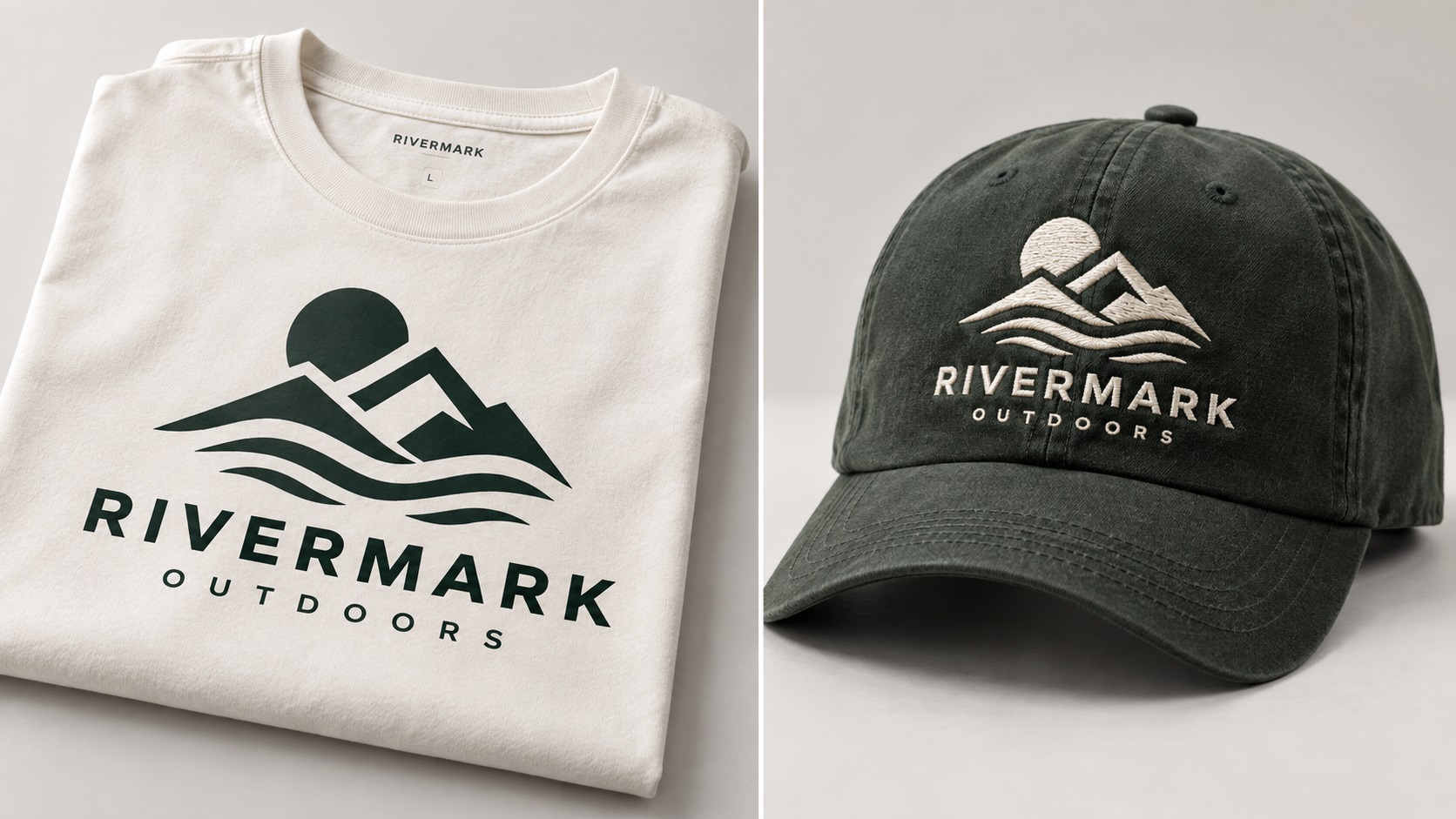
You have a vector file of your logo. It looks clean. You send it to a screen printer for your team shirts and the results are great. Then you send the exact same file to an embroidery company for caps, and the digitizer comes back with questions, simplified the design differently than you expected, or the finished product does not look quite right.
This is one of the most common frustrations for businesses ordering branded apparel, and it happens because screen printing and embroidery are fundamentally different processes with different constraints. The same vector file is the correct starting point for both, but what each process can do with that file is not the same.
How Screen Printing Uses a Vector File
In screen printing, your vector file is used to create a physical screen for each color in the design. The artwork is output as a film positive, which is used to burn the image onto a mesh screen. When the ink is pushed through the screen, it lands precisely where the image was defined.
This means the vector file is reproduced almost directly. Clean paths translate to clean printed edges. Flat color fills translate to clean printed color areas. Fine lines, as long as they are not too thin for the screen mesh, reproduce accurately.
For a vector file with properly separated flat colors, clean paths, and no gradients, screen printing will reproduce the design very faithfully. The process has a high tolerance for design complexity as long as the colors are flat and the paths are clean.
How Embroidery Uses a Vector File
Embroidery is an entirely different story. The vector file is not used to produce the embroidery directly. It is used as a visual reference by a human digitizer who rebuilds the design as a stitch file from scratch.
The digitizer looks at your vector and manually determines where every stitch goes, what type of stitch to use in each area, what direction the stitches run, and how to handle color transitions. The output of this process is an embroidery file in a format like DST or PES that the machine reads. Your vector file never touches the embroidery machine.
This means two important things. First, the quality of the embroidery depends on the skill of the digitizer, not just the quality of your vector. Second, the physical constraints of thread mean that some things a screen printer can reproduce cleanly simply cannot be done in embroidery.
What Each Process Can and Cannot Reproduce
Fine Lines
A screen printer can reproduce a line that is 0.5 points thick at print scale, as long as the screen mesh is fine enough. An embroidery machine cannot stitch a line that thin because thread has physical width. The thinnest practical stitch line in embroidery is typically 1 to 2mm wide at the embroidered size.
If your logo has fine decorative lines or thin strokes in the letterforms, these may print cleanly on a t-shirt but need to be thickened or removed for the embroidered cap version.
Small Text
Screen printing can reproduce text at very small sizes, particularly with a fine mesh screen and high-quality inks. A tagline in 6-point text can print clearly on a shirt.
Embroidery has a minimum readable text size of approximately 4 to 5mm tall for standard fonts. Below this, the needle cannot form the letterforms accurately and the text becomes unreadable. A tagline that prints perfectly on a shirt may be impossible to embroider on a cap where the available space is smaller.
Gradients
Neither standard screen printing nor embroidery handles true gradients well, but the reason differs. Screen printing can approximate gradients using halftone dots, which is a viable technique for some designs. Embroidery cannot reproduce gradients at all using standard methods. Thread comes in solid colors. Each area of the embroidery is a flat color, and even simulated gradient effects are limited in what they can achieve.
Color Count
In screen printing, each color is a separate screen and a separate cost. In embroidery, each color is a thread change during the stitching process. Both processes have cost implications for additional colors, but the physical limits are different.
Screen printing is relatively flexible on color count up to a practical limit of around eight to ten colors before the job becomes complex. Embroidery is also flexible but the interaction between adjacent colors, particularly where fine stitching and color meeting points are involved, affects quality more directly than in print.
Detailed Illustrations
A detailed illustrated icon can print well in screen printing if the colors are separated and the line weights are sufficient. In embroidery, detailed illustrations often need to be simplified. Areas that are fine in print become blobs in thread because the needle cannot navigate intricate paths at small sizes.
Why Logos Sometimes Need Two Versions
For businesses that regularly need both screen printing and embroidery, having two versions of the logo is sometimes the practical solution:
A full-detail print version: The complete logo with all text, fine lines, and detail at the intended weights and sizes. This version works for screen printing, vehicle wraps, signage, and all large-format applications.
An embroidery-optimised version: A simplified version with thickened strokes, removed or enlarged small text, simplified fine detail, and adjusted proportions for the sizes commonly used in embroidery. This version is specifically prepared for stitching.
Both versions should exist as clean vector files. The embroidery version is not a lesser version of the logo, it is a production-specific adaptation of it.
What to Tell Your Embroidery Digitizer
When sending a logo to an embroidery digitizer, the following information helps them produce the best result:
- The intended size of the embroidered area (for example, left chest logo approximately 80mm wide)
- The garment or item it will be embroidered on (caps, polos, fleeces, and bags each have different backing requirements)
- Whether you want the digitizer to flag elements that may not reproduce well at the intended size before they proceed
- Any thread color references, such as Pantone codes or thread manufacturer codes
Asking the digitizer to flag potential issues before digitizing prevents the situation where a proof comes back and the small text has been omitted without discussion.
Frequently Asked Questions
Can I send the same vector file to both my screen printer and my embroidery service?
Yes, as a starting point. The screen printer uses it more directly. The embroidery digitizer uses it as a reference to rebuild in stitch format. Whether the result meets your expectations for both processes depends on how well your design translates to each medium.
My logo has a thin decorative border around it. Will that embroider correctly?
Depends on the line width at the embroidered size. If the border is thinner than about 1.5 to 2mm at the embroidered dimensions, it may not stitch cleanly. The digitizer can thicken it slightly or may ask how you want to handle it.
The screen printer reproduced my tagline perfectly but the embroiderer said it was too small. Why the difference?
Screen printing can handle very small text with the right screen and ink. Embroidery has a hard physical limit on minimum text size because thread cannot form letters below a certain height. The difference is not a quality issue with either supplier, it is a fundamental difference between the two processes.
Do I need to pay for two separate vectorizations if I want a version for print and one for embroidery?
Not necessarily. Many vectorization services can produce both the standard version and an embroidery-adapted version at the same time. Ask about this when placing your order.
My logo looks exactly the same on the embroidered cap as on the screen-printed shirt. Was that just luck?
If your logo is simple with bold shapes, limited colors, and no fine text or thin lines, both processes handle it similarly and the results can look very consistent. The challenges arise with more complex designs.
Need artwork converted?
VectorFixer can redraw logos, convert PNG files to SVG, and prepare clean production-ready vector files.
Contact Us