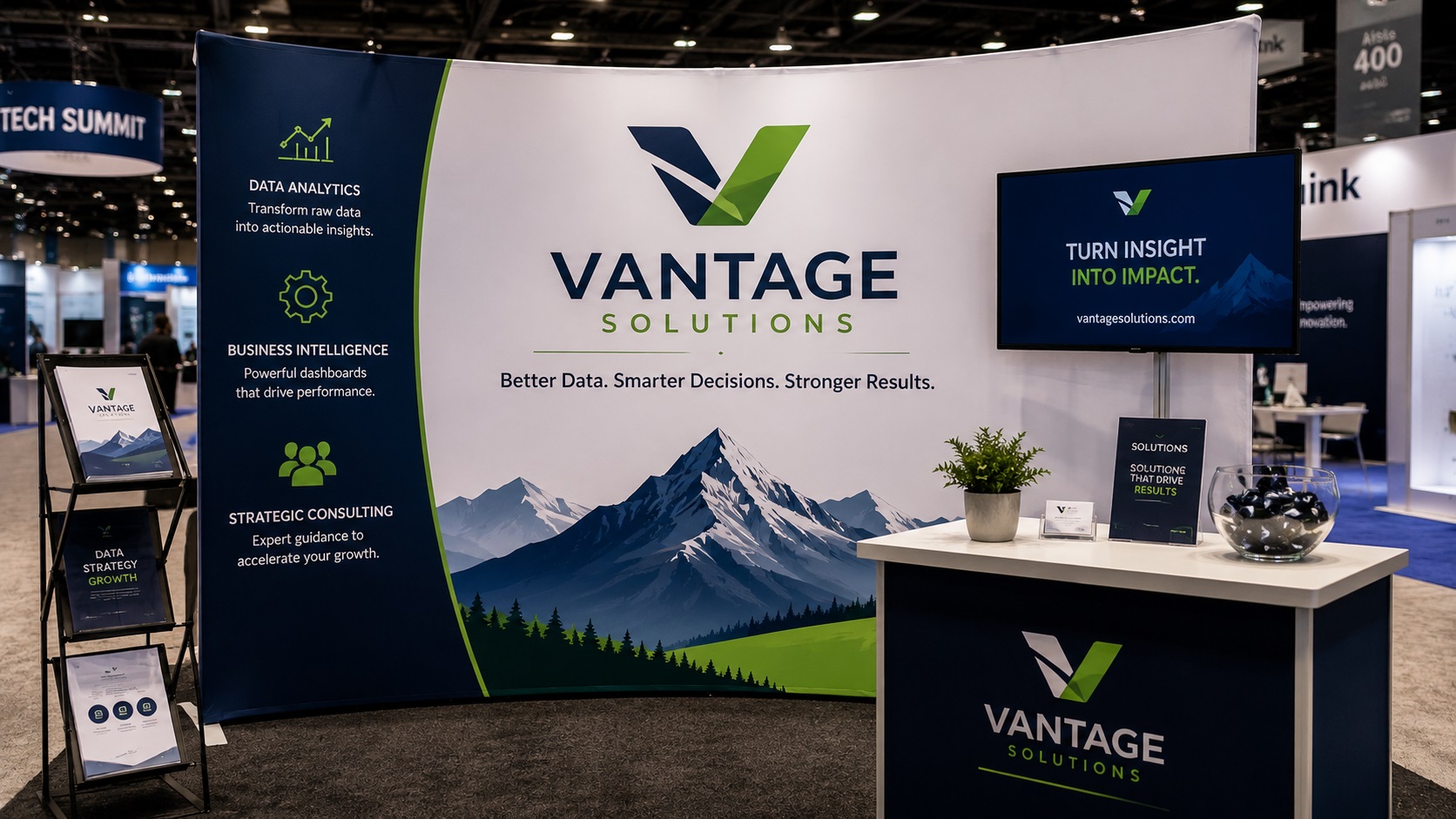
Trade shows and events are high-stakes situations for your brand. You have spent money on a booth, traveled to the venue, and have a short window to make an impression on a lot of people. The last thing you want is graphics that look blurry, cheap, or unprofessional when someone walks by.
Getting your artwork right before it goes to print is one of the easiest ways to make sure your display looks as good in person as it did on your screen. Here is what trade show and event graphics actually need from your files.
The Scale Problem With Trade Show Graphics
Trade show displays are big. A standard pop-up backdrop can be 8 feet tall and 10 feet wide. A tabletop display might be smaller, but a floor-standing banner, a tension fabric display, or a custom booth wall can easily exceed 20 square feet of printed surface.
At that scale, any weakness in your artwork gets magnified. A logo that looks crisp at 400 pixels wide on a business card becomes a blurry disaster when it is printed at 3 feet wide on a backdrop. A photo that looks fine on your website might reveal every flaw when it is stretched across a large format display.
This is why file quality matters so much more for trade show graphics than for smaller print jobs.
What Trade Show Printers Need
Professional trade show print vendors typically have clear file requirements. Most ask for:
- Vector files for all logos, text, and graphic elements with hard edges
- High-resolution photos at 100 to 150 DPI at the actual print dimensions
- CMYK color mode rather than RGB
- A bleed area extending beyond the trim edge (usually 0.5 to 1 inch for large format)
- Fonts converted to outlines so there are no font substitution problems
- Files built at the actual print size or at a consistent scale (such as 1 inch equals 1 foot)
If you submit files that do not meet these requirements, the printer will either come back with a list of problems or, in some cases, print from what you gave them and let you deal with the results.
Why Logos Are the Most Critical Element
In a trade show setting, your logo is doing a lot of work. It is on the backdrop behind you, possibly on a tabletop sign, on any printed materials you hand out, and potentially on your banner stands too. Every one of those applications needs a vector version of your logo.
A raster logo like a PNG or JPG simply cannot scale to trade show dimensions without quality loss. At 3 feet wide, a small PNG logo will look pixelated and unprofessional, which undermines the whole point of attending the show.
A vector logo scales to any size with no quality loss at all. The same AI or EPS file that works on your business card works perfectly on an 8-foot backdrop. This is exactly what vector files were made for.
Photos and Background Images in Trade Show Displays
Many trade show displays use lifestyle photos, product images, or environmental backgrounds. These are raster images and that is fine, but resolution planning is critical.
The viewing distance at a trade show is typically somewhere between 3 and 15 feet depending on the display and the booth layout. At that distance, the effective resolution needed is lower than for up-close printed materials, which is why 100 to 150 DPI at full print size is the standard rather than 300 DPI.
The practical calculation: a photo intended to fill a panel 5 feet wide should be at least 6000 pixels wide at 100 DPI. Always check the actual pixel dimensions of your photos rather than just the DPI label, since a small photo labeled as 300 DPI will not magically become high resolution when stretched to fill a large panel.
Setting Up Your File at Scale
Building a layout file at the actual print size in Illustrator or InDesign is often impractical because the file dimensions become enormous. Most designers work at a reduced scale instead, a common approach being 1 inch in the file equals 1 foot in the final print.
If you work at scale, make sure your images are placed at the correct resolution for that scale. Photos placed at 1 to 10 scale need to be roughly 10 times the resolution they would need at full size. Discuss your scale approach with your print vendor before you start building the layout so they know how to interpret your file.
Common Mistakes That Show Up at Trade Shows
Rebuilding From Website Assets
A common shortcut is pulling the logo and photos from the company website to use in trade show graphics. Website images are optimized for fast loading, not for large format printing. They are almost always too small and too low in resolution to use at trade show scale without a significant quality loss.
Using a Logo PNG Instead of a Vector
A PNG logo that has worked fine for years on business cards and email signatures will fail at trade show dimensions. If you do not have a vector version of your logo, getting one made is the single most important step before placing a trade show print order.
Ignoring the Bleed
Trade show displays are stretched or mounted, and edges are often folded, wrapped, or trimmed. Without a bleed area, slight variations in how the graphic is mounted can leave a visible white edge at the border of the design. Always follow the bleed specifications your print vendor provides.
Leaving Text as Live Type
If your layout file contains live text and you send it to a printer without converting the fonts to outlines, the text may reflow or substitute a different font on their system. Always convert text to outlines before sending any file to a trade show print vendor.
A Pre-Submission Checklist for Trade Show Graphics
Before you submit your files, check these things:
- Is your logo in a vector format, AI, EPS, SVG, or vector PDF?
- Are all photos at sufficient pixel dimensions for the print size?
- Is the document color mode set to CMYK?
- Are all fonts converted to outlines?
- Is a bleed area included according to the vendor's specifications?
- Have you confirmed the file scale with the print vendor if working at a reduced size?
If everything on this list is covered, your files are in good shape.
Frequently Asked Questions
Do I need a separate vector file for each display size?
No. A vector logo file works at any size, which is one of the main benefits. You use the same AI or EPS file whether the logo is 4 inches wide on a pull-up banner or 4 feet wide on a backdrop.
My trade show is in two weeks. Is it too late to get a vector file made?
Probably not. Most professional vector tracing services turn around orders within 24 to 48 hours. You have enough time as long as you act quickly.
Can my designer build the trade show layout and I just supply the logo?
Yes. If a designer is building your booth graphics, supplying a clean vector version of your logo means they can place it at any size they need without quality problems. A raster logo puts the burden on them to either work around the quality issues or ask you for a better file.
What file format should I submit to my trade show printer?
Most accept PDF (vector-based), AI, or EPS for vector-heavy files. Some also accept high-resolution TIFFs for photo-heavy layouts. Ask your specific vendor what they prefer before building your files.
How much bleed do trade show graphics need?
This varies by vendor and display type. Common requirements range from 0.5 inch to 1 inch on each side, but some specialty displays require more. Always get the bleed specifications directly from your printer before building your layout.
Need artwork converted?
VectorFixer can redraw logos, convert PNG files to SVG, and prepare clean production-ready vector files.
Contact Us