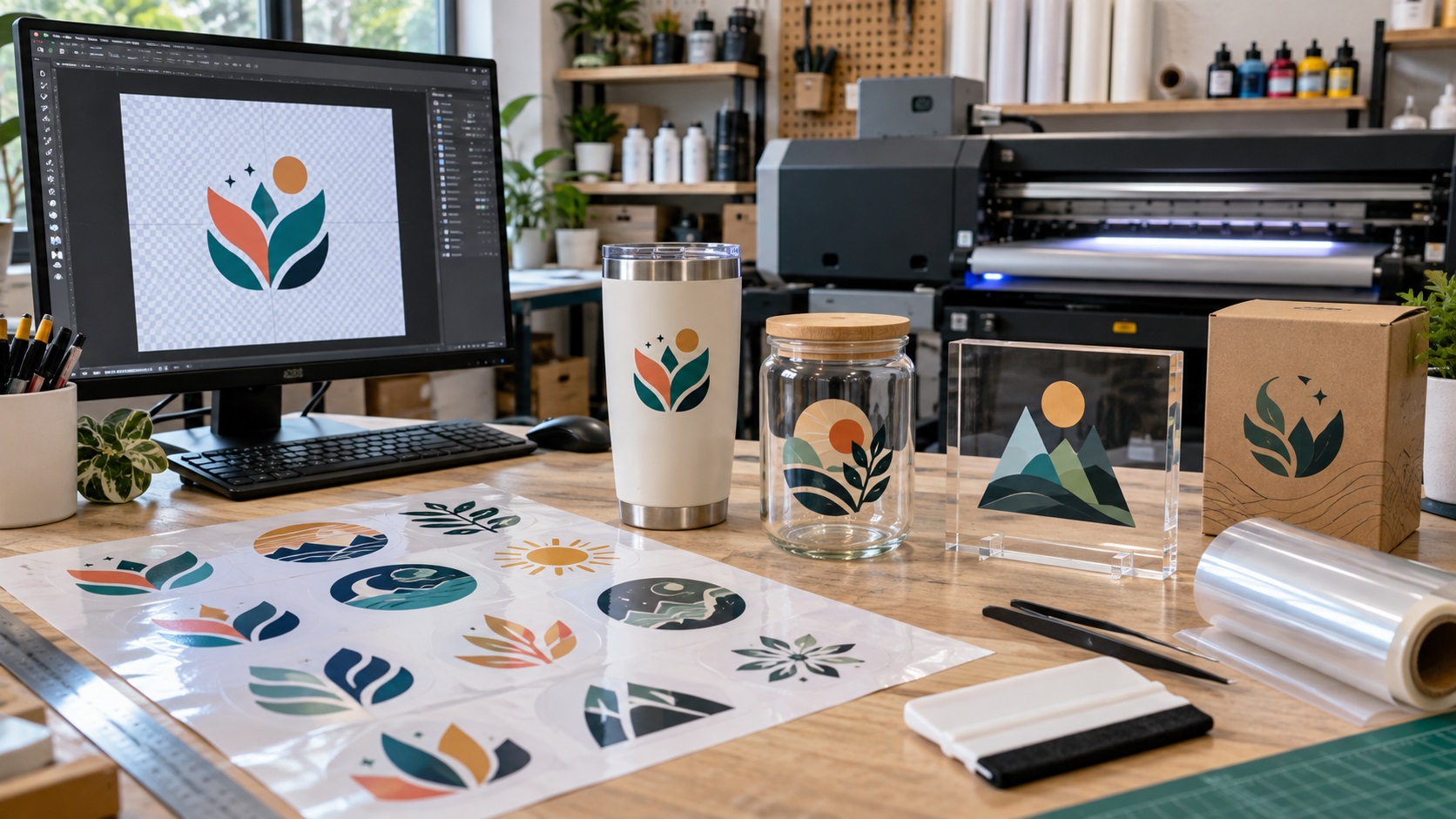
UV DTF transfers have become a practical way to add logos and graphics to tumblers, glass, acrylic, metal, packaging, and other smooth hard surfaces. They are popular because the finished transfer can be applied without a heat press.
The part that causes trouble is usually the artwork.
A logo can look sharp on a phone and still produce a weak UV DTF transfer if the file is too small, has the wrong background, contains very thin details, or uses soft transparency that the printer cannot reproduce well.
The good news is that UV DTF artwork does not have to be complicated. You mainly need to send a clean file at the correct size and make sure the design can survive the transfer process.
What is UV DTF printing?
UV DTF is a transfer process for hard surfaces. The artwork is printed with UV-cured inks onto a transfer film, then moved onto the final product using an adhesive carrier.
It is different from normal DTF used for shirts and other fabrics. Apparel DTF is heat pressed onto textiles. UV DTF is usually applied directly to smooth hard surfaces such as:
- Tumblers and cups
- Glass jars and bottles
- Acrylic signs
- Metal containers
- Hard plastic products
- Ceramic items
- Product packaging
- Gift boxes
- Promotional products
Because the transfer carries the printed design onto the surface, small details, transparency, and file quality matter before anything is printed.
What file should you send for UV DTF?
For many UV DTF shops, a transparent PNG at the final print size is the easiest file to work with.
A clean vector file such as SVG, AI, EPS, or vector PDF can also be useful, especially for logos, lettering, and flat graphics. Vector artwork gives the printer clean edges and makes resizing easier.
The exact accepted formats vary by supplier, so always check the printer's upload requirements before ordering.
As a practical rule:
- Use a transparent PNG for full-color artwork that is already sized correctly.
- Use a true vector file for logos, simple graphics, text, and artwork that may need resizing.
- Avoid sending a small JPG copied from a website or social media page.
If the only file you have is blurry, pixelated, or too small, it may need to be rebuilt before printing. A logo vectorization service can recreate the artwork as cleaner scalable shapes.
Does UV DTF require a vector file?
Not always.
A high-quality transparent PNG can work very well for UV DTF if it is large enough and prepared at the final print size.
The advantage of vector artwork is flexibility. If a print shop needs to enlarge your logo from 2 inches wide to 8 inches wide, a true vector file can scale without becoming pixelated.
A raster image does not have that same freedom. It depends on the number of pixels already in the file.
For a fixed-size decal, a properly prepared PNG may be completely suitable. For repeated use across many sizes and products, keeping a vector master is the safer long-term option.
Why the transparent background matters
One of the most common UV DTF mistakes is sending artwork with a white rectangle around it.
If the white rectangle is part of the image, the printer may treat it as part of the design. That means your finished transfer can include a white box instead of only the logo.
A transparent background tells the production system which areas should remain open.
This is especially important for logos that will be applied to clear glass, dark tumblers, metal containers, or colored packaging.
Before sending the file, open it on a checkerboard transparency background if possible. Make sure the area around the logo is actually transparent rather than white.
White artwork is different from transparency
White design elements can create another common mistake.
Suppose your logo contains white letters. If those letters are accidentally removed while someone is deleting the background, the file may look incomplete when printed.
Transparency means nothing should print in that area.
White artwork means the printer should print white ink there.
Those are not the same thing.
When preparing a UV DTF file, check that white lettering, borders, or icons are still present in the artwork rather than disappearing into the transparent background.
Prepare the artwork at the final size
Do not rely on the printer to guess how large the design should be.
Decide the finished width and height before uploading.
A 3-inch tumbler logo and a 10-inch acrylic sign may use the same brand mark, but the artwork needs to remain clean at both sizes.
For raster files, resolution matters at the final physical dimensions. Many transfer printers ask for artwork around 300 DPI at the intended print size.
That does not mean changing the DPI number on a tiny image magically improves it. A small web logo does not gain real detail simply because the file settings now say 300 DPI.
If the source image is too small, the better solution is to find the original artwork or rebuild the logo properly.
Watch very small text and thin lines
UV DTF can reproduce detailed artwork, but the transfer still has to be printed, carried on film, applied, rubbed down, and peeled.
Very thin lines, tiny dots, isolated specks, and miniature lettering can become fragile or difficult to transfer cleanly.
This matters with logos that contain:
- Small taglines
- Fine script lettering
- Tiny registration symbols
- Hairline borders
- Thin outlines
- Small distressed texture
- Separate dots or floating decorative elements
If an element is important to the brand, do not assume it will remain readable at every size.
For a small tumbler decal, a simplified logo version may work better than forcing every detail from the full-size logo into a tiny space.
Be careful with shadows, glows, and soft transparency
Soft visual effects can behave differently in UV DTF production than they do on a screen.
Drop shadows, outer glows, semi-transparent fades, feathered edges, and blurred effects may create weak or unexpected edges depending on the printer's workflow.
Some shops accept these effects. Others ask customers to avoid them.
If your artwork depends heavily on transparency, ask the supplier how they handle it before placing a large order.
For a simple business logo, clean solid edges are usually the safest choice.
Do you need to mirror UV DTF artwork?
Usually, the production supplier handles the transfer setup and tells you how the artwork should be supplied.
Do not mirror the logo unless the printer specifically instructs you to do so.
Uploading a manually mirrored file when the shop's software already handles orientation can produce a backwards logo.
The same rule applies to gang sheets. Follow the supplier's template or builder rather than guessing.
What about gang sheets?
A UV DTF gang sheet combines multiple graphics on one larger sheet.
This is useful when you need:
- Several copies of the same logo
- Different logo sizes
- Product labels and brand marks in one order
- Several customer designs
- Multiple small decals for a product range
If you build the gang sheet yourself, leave enough space between the graphics and make sure every design is already at its intended physical size.
If the supplier provides an online gang sheet builder, you can often upload individual graphics and arrange them there instead.
Either way, start with clean source artwork. A gang sheet does not fix blurry or poorly prepared logos.
Can I use a JPG for UV DTF?
A JPG may be accepted by some shops, but it is usually not the best choice for a standalone logo.
JPG does not support a transparent background. It also uses compression that can create rough edges around lettering and shapes.
If the design is supposed to appear without a rectangular background, PNG or vector artwork is generally more practical.
A JPG can still be useful as a visual reference if that is the only file you have. If the logo needs to be reconstructed from it, the artwork can be converted into cleaner production files before you order.
Can I use an SVG for UV DTF?
Yes, if the SVG actually contains clean vector artwork and the printer accepts SVG uploads.
The important part is that the file is truly vector.
An SVG can contain embedded raster images. That means a file can have an .svg extension while the logo inside is still a pixel image.
If the artwork becomes blurry when enlarged, or the printer says the SVG is not usable, the file may need cleanup or rebuilding.
VectorFixer provides PNG and JPG to SVG conversion for logos that need real vector paths rather than a raster image placed inside an SVG wrapper.
Common UV DTF file problems
The logo has a white box around it
The background was not actually transparent.
The transfer looks soft or blurry
The raster file was too small for the selected print size.
Fine details do not transfer cleanly
The design contains lines, dots, or lettering that are too delicate at the finished size.
White parts of the logo disappeared
White artwork was accidentally confused with transparent space.
The logo printed backwards
The file was mirrored even though the supplier did not request it.
The SVG still looks pixelated
The SVG probably contains an embedded raster image or poorly traced artwork instead of clean paths.
A simple UV DTF artwork checklist
Before you upload your file, check the following:
- The design is at the correct physical size.
- The artwork is sharp at that size.
- The background is transparent if it should not print.
- White design elements are still visible in the file.
- Text is readable at the finished size.
- Thin lines and tiny floating details are strong enough to transfer.
- The artwork is not mirrored unless requested.
- The spelling is correct.
- The logo proportions have not been stretched.
- You have checked the printer's accepted file formats.
That short review can prevent most avoidable artwork problems.
Frequently asked questions
What is the best file type for a UV DTF logo?
A transparent PNG at the final print size is widely used. A clean vector file such as SVG, AI, EPS, or vector PDF can be even more flexible for logos and lettering. Always check the supplier's upload requirements.
Does a UV DTF printer need 300 DPI?
Many suppliers recommend around 300 DPI for raster artwork at the final print size. A true vector logo does not depend on DPI in the same way because the shapes are mathematically scalable.
Can I use my website logo for UV DTF?
You can use it if the source file is large and clean enough. A small logo copied from a website may be too low resolution for physical production.
Do I need to remove the background first?
If you want only the logo to transfer, the surrounding background should normally be transparent. If the background is intentionally part of the design, keep it.
Can UV DTF be used on shirts?
UV DTF is designed for hard surfaces. For garments and fabric, regular DTF, screen printing, embroidery, or another textile process is usually more appropriate.
Fix the artwork before you order the transfers
UV DTF makes it easy to brand tumblers, containers, packaging, displays, and other hard products, but the transfer can only reproduce the artwork you provide.
If the only logo you have is a small PNG, JPG, screenshot, or questionable SVG, it is better to fix the source file before paying for a large batch of transfers.
Send your artwork to VectorFix if you want the logo checked and rebuilt into cleaner files for your UV DTF supplier.
Need artwork converted?
VectorFixer can redraw logos, convert PNG files to SVG, and prepare clean production-ready vector files.
Contact Us