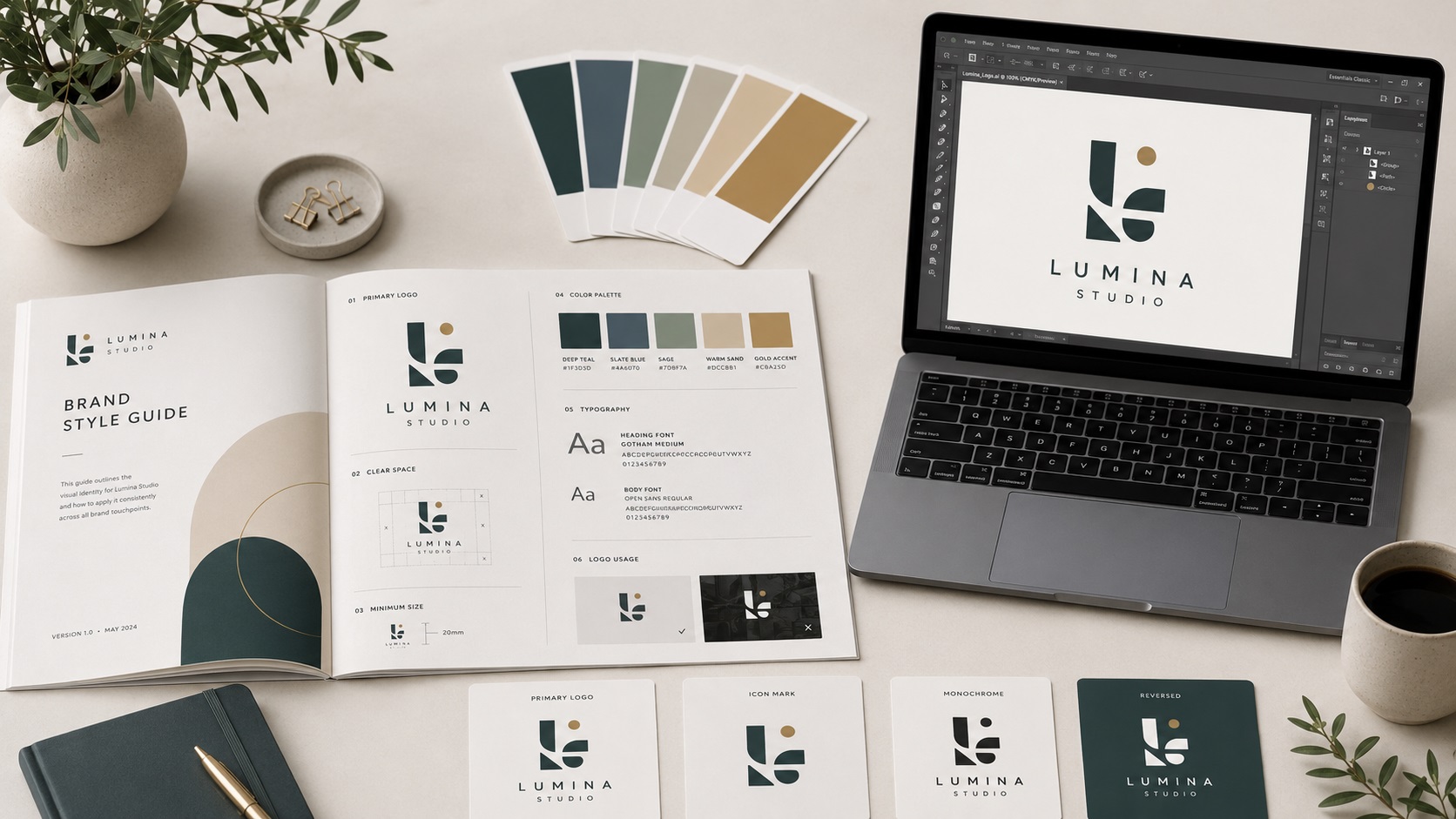
A brand style guide is a document that tells anyone who works with your brand exactly how to use it correctly. It covers your logo, your colors, your fonts, and sometimes your tone of voice and photography style. It is the reference point that keeps everything consistent whether it is your in-house team creating social media posts, a freelance designer laying out a brochure, or a print vendor producing signage.
For a lot of small businesses, a brand style guide sounds like something only large companies need. In practice, even a simple one-page guide saves a significant amount of time and prevents a lot of brand inconsistency. And at the center of any brand style guide are your vector logo files.
What a Brand Style Guide Actually Contains
The depth of a brand style guide varies depending on the size and complexity of the business. A basic guide for a small business covers the essentials:
Logo usage rules: Which version of the logo to use in which context. The full color version, the single-color version, the white version. Minimum sizes for each. Clear space requirements around the logo so it is never crowded by other elements. What not to do with the logo, such as stretching it, changing the colors, adding effects, or placing it on a background that makes it hard to see.
Brand colors: The exact color values for each brand color, expressed in hex, RGB, CMYK, and Pantone. Not just the name of the color but the precise numbers that any designer or printer can input to match it exactly.
Typography: The fonts used for headings, body text, and any other text treatments. Where to find them, how they should be sized relative to each other, and whether there are approved alternatives for situations where the primary fonts are not available.
Logo file inventory: A list of which logo files exist, what formats they are in, and where they are stored. This sounds basic but it is extremely useful when someone new joins the team or when a vendor asks for a specific file.
Larger organisations might also include photography guidelines, illustration style, graphic element usage, and examples of correct and incorrect usage across different media.
Why the Vector File Is the Foundation of the Whole Thing
Every element of a brand style guide eventually points back to the logo, and the logo only works properly across all the applications a style guide describes if it exists as a clean vector file.
Here is why this connection matters.
A style guide might specify that the logo should appear on signage, printed materials, embroidered uniforms, digital ads, and packaging. Each of these applications needs a different format and a different export, but they all need to start from the same clean vector source. Without a vector source file, reproducing the logo consistently across all of these contexts is not reliably possible.
The style guide also typically specifies exact brand color values. Those CMYK and Pantone values need to be built into the vector logo file itself so that every time the file is sent to a printer, the correct color information travels with it. A PNG logo has no embedded color specification that printers can reference.
Text in the logo, whether it is the business name, a tagline, or any other typographic element, needs to be properly handled in the vector file. In a professionally built AI or EPS file, the text is either converted to outlines (making it font-independent) or the font is embedded. A style guide that specifies a particular typeface for the logo is only meaningful if the logo file is set up to deliver that typeface correctly.
How to Create a Basic Brand Style Guide
You do not need a design agency to create a useful brand style guide. A one to two page PDF covering the essentials is enough for most small businesses.
Step one: Document your logo files. List every version you have, what format it is in, and where it is stored. Note which version should be used in which context.
Step two: Record your brand colors. For each color, write down the hex code, RGB values, CMYK values, and the nearest Pantone match. If you do not have Pantone values yet, a designer can identify the closest match from your existing colors.
Step three: List your brand fonts. Include the font name, where to get it (free or paid), and any specific weights or styles that are part of your brand.
Step four: Add basic logo usage rules. Even simple instructions like do not stretch the logo, do not change the colors, and always use the white version on dark backgrounds make a real difference.
Step five: Show examples. A few visual examples of correct logo usage on different backgrounds, at different sizes, go further than a paragraph of rules.
Once this document exists, share it with everyone who works with your brand. Keep it updated when anything changes.
When a Style Guide Reveals You Have File Gaps
Creating a brand style guide often surfaces the reality that your logo file situation is not as complete as you assumed. You might discover that the only file you have is a PNG, that you cannot find the white version of the logo anywhere, that nobody knows what your brand colors are in CMYK, or that different versions of the logo circulating internally are slightly different from each other.
This is one of the most useful things a style guide process does: it forces you to look at what you actually have and compare it to what you need.
If the exercise reveals you are missing proper vector files, that is the gap to address first. Everything else in the style guide is easier to implement when the vector logo foundation is in place.
What to Include in Your Logo File Package for the Style Guide
A complete logo file set for a style guide context should include:
- AI source file for designers and design-related partners
- EPS for print vendors, sign shops, and embroidery services
- SVG for web developers and digital applications
- PDF for general sharing and document use
- PNG versions: full color with transparent background, white with transparent background, black with transparent background
- All versions at a sufficiently large pixel size (at least 1000 pixels wide for PNG exports)
Storing these in a clearly organised shared folder and referencing the folder location in your style guide means anyone who needs a logo file knows exactly where to go.
Frequently Asked Questions
Do I really need a brand style guide if I am a one-person business?
Even as a solo operator, a one-page style guide is useful the moment you involve anyone else in producing content or materials. A freelance designer, a print vendor, a social media manager, or a virtual assistant all benefit from a clear reference rather than having to ask you every time.
Can I make my brand style guide in Canva?
Yes, Canva is a practical tool for laying out a visual brand guide. The guide itself can be a designed document. The logo files it references should still be proper vector files stored separately, not embedded in the Canva document.
What if my brand colors have changed slightly over time and I am not sure which is correct?
This is the right moment to standardise. Choose the version you want to be the official color going forward, define it precisely in all color systems, and update your vector files to match. Then make sure the style guide reflects only the correct, current values.
Does a brand style guide need to be a formal document?
Not necessarily. A clear one-page PDF or even a well-organised shared folder with a simple readme document serves the same function for a small business. The goal is a single reliable source of truth, not a formal publication.
Who should have access to my brand style guide?
Anyone who produces anything that carries your brand. Team members, freelancers, vendors, partners. The more widely it is accessible, the more consistently your brand is applied.
Need artwork converted?
VectorFixer can redraw logos, convert PNG files to SVG, and prepare clean production-ready vector files.
Contact Us