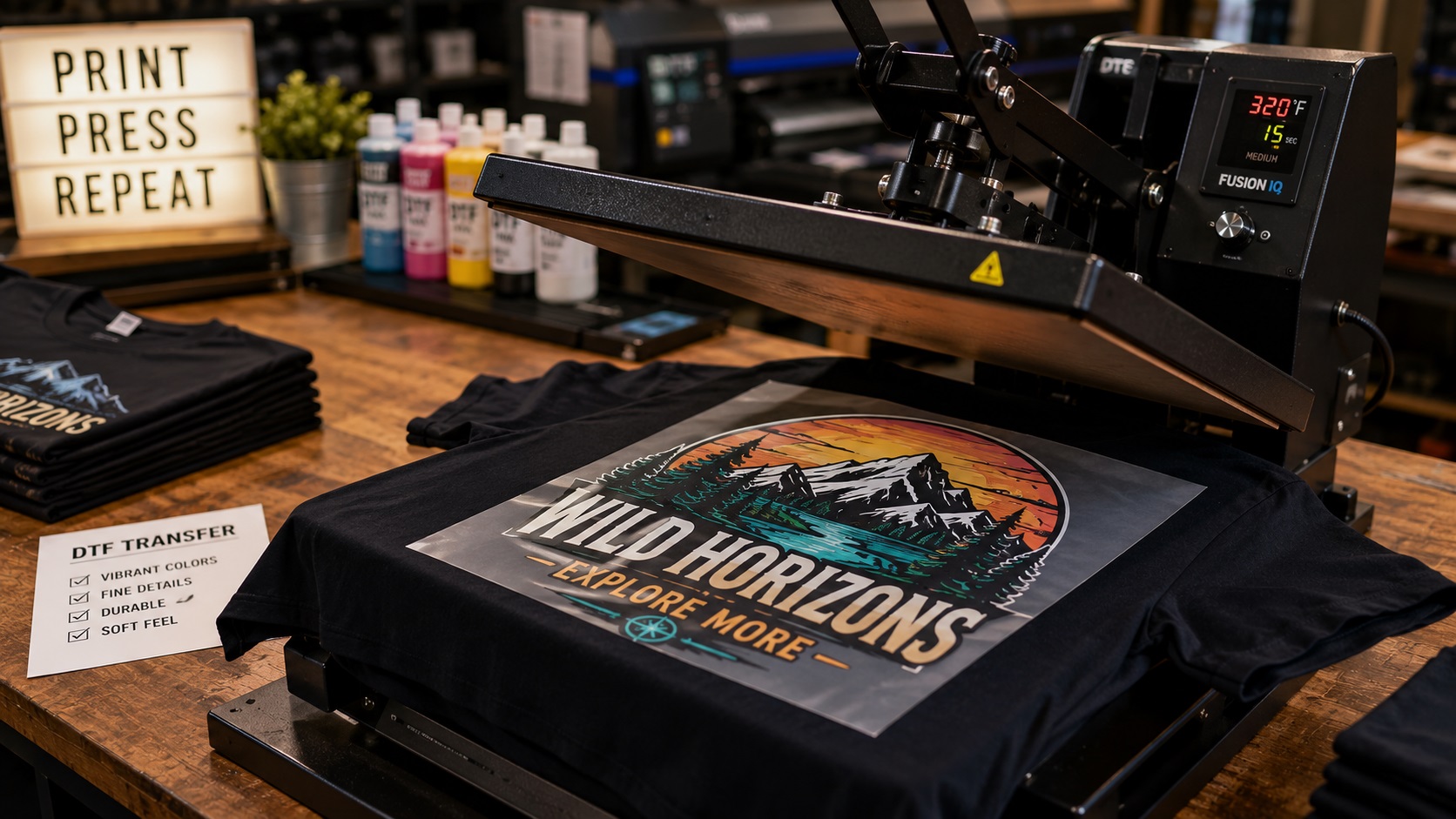
DTF printing has become one of the most talked-about methods for decorating apparel and merchandise over the past few years. If you have been looking into getting custom shirts made or selling printed products, you have probably come across the term. But if you are not sure exactly what it means or how it differs from other printing methods, this guide will clear that up and explain what kind of files you actually need to use it.
What DTF Printing Actually Is
DTF stands for Direct to Film. It is a process where a design is printed directly onto a special film, then a hot melt adhesive powder is applied, and the film is heat-pressed onto the fabric or surface. The result is a full-color printed transfer that bonds to the material.
Unlike screen printing, DTF does not require separate screens for each color. Unlike heat transfer vinyl, you do not cut individual pieces and weed out the parts you do not want. The entire design, including all colors and details, prints in one pass. This makes DTF particularly well suited for designs with many colors, gradients, fine detail, or photographic elements.
DTF transfers can be applied to cotton, polyester, blends, nylon, leather, and many other materials. They work on dark fabrics without needing an underbase layer the way some other methods do. For small businesses and custom merch sellers, DTF has become popular because of its flexibility and relatively low setup cost compared to screen printing.
How DTF Compares to Other Printing Methods
It helps to understand where DTF fits alongside the other common options.
Screen printing is best for large runs of simple designs with limited colors. It produces vibrant, durable prints but requires a setup fee per color and a minimum quantity to be cost-effective. Gradients and very fine detail are difficult.
Heat transfer vinyl (HTV) works well for simple one to four color designs on apparel. Each color is a separate piece of vinyl cut and layered. Not suitable for photos, fine detail, or gradients.
Direct to garment (DTG) prints directly onto the fabric using an inkjet-style printer. Similar color flexibility to DTF but works best on 100 percent cotton and lighter colored garments. Pretreatment is required for dark fabrics.
DTF fills a useful middle ground. It handles full color and gradients like DTG, works on a wider range of materials and fabric colors, and does not need a screen setup fee like screen printing. The transfers can also be printed in batches and stored for later pressing, which is useful for on-demand operations.
What File Format DTF Printing Needs
This is where DTF differs from screen printing and vinyl cutting in an important way. Because DTF prints the entire design in one full-color pass rather than separating colors, it works from raster image files rather than strictly needing vectors.
The most common file formats accepted for DTF printing are:
- PNG with a transparent background (most common)
- PSD (Photoshop file)
- TIFF
PNG with transparency is typically preferred because DTF prints only the actual design area, and the transparent background ensures no white box appears around the design on the finished garment.
Resolution Requirements
Because DTF is a printing process (not a cutting process), resolution matters more than it does for vinyl cutting. Most DTF print shops recommend artwork at 300 DPI at the intended print size. Some accept lower, but 300 DPI is the safe standard for sharp, clean results.
This means a design intended to print at 10 inches wide should be at least 3000 pixels wide in the file. A design that is only 800 pixels wide will print soft and may show visible pixelation at that size.
Where Vector Files Still Matter for DTF
Even though DTF accepts raster files, vector files still play an important role, especially for logos.
If your design includes a logo or text, starting from a vector file gives you the most flexibility. You can export the artwork from Illustrator or another vector program at exactly the right resolution for the intended print size, and the text and sharp edges will look clean rather than slightly soft the way a resized PNG sometimes can.
For logos specifically, a vector-based design exported as a high-resolution PNG gives you the best of both worlds: the sharp paths and clean edges of a vector with the raster file format DTF printing requires.
If you only have a low-resolution PNG of your logo and want to use it in a DTF print, it will need to be vectorized first so it can be exported at the size you need without quality loss.
Common Mistakes When Setting Up DTF Files
Using a White Background Instead of Transparent
This is the most common issue. A PNG logo on a white background will print with a white rectangle around the design. This looks fine on a white garment but stands out badly on any other color. Always use a PNG with a transparent background for DTF.
File Too Small for the Print Size
A logo that looks fine on screen at 500 pixels wide will print soft and blurry if it is being used for a 10-inch wide DTF transfer. Match the pixel dimensions to the print size at 300 DPI.
Sending a JPEG
JPEG does not support transparency, which means you will always get a white background around your design. JPEG also uses lossy compression that can cause slight color banding and artifact issues in the printed result. PNG is the better choice for DTF.
Very Light or Fine Details Near the Edges
DTF transfers have a slight edge that needs to bond cleanly to the fabric. Very fine or very light elements right at the edge of a design can sometimes lift or not adhere as cleanly as bolder shapes. Keeping the most important design elements slightly away from the very edge of the artwork helps.
Frequently Asked Questions
Can I use DTF for just one or two shirts?
Yes. DTF does not have the setup costs that screen printing does, so it works for very small quantities including single items. This makes it popular for custom one-off orders.
Does DTF work on dark colored shirts?
Yes. DTF transfers include a white base layer that allows the colors to show correctly on dark fabrics without any additional pretreatment step.
How long does a DTF print last?
A well-applied DTF transfer on properly prepared fabric can last many washes when cared for correctly. Washing inside out in cold water and avoiding high heat in the dryer extends the life of the print significantly.
Can I use a vector AI or EPS file directly with a DTF printer?
Most DTF print shops need a raster file, typically PNG. You would export your vector design as a high-resolution PNG before submitting. Some shops with more advanced RIP software can work directly from PDF or AI files, so check with your specific printer.
Is DTF better than screen printing for logos?
It depends on the quantity and design. For small runs and designs with many colors or gradients, DTF is often the more practical and cost-effective option. For large runs of simple designs, screen printing can still produce more cost-effective results with excellent durability.
Need artwork converted?
VectorFixer can redraw logos, convert PNG files to SVG, and prepare clean production-ready vector files.
Contact Us