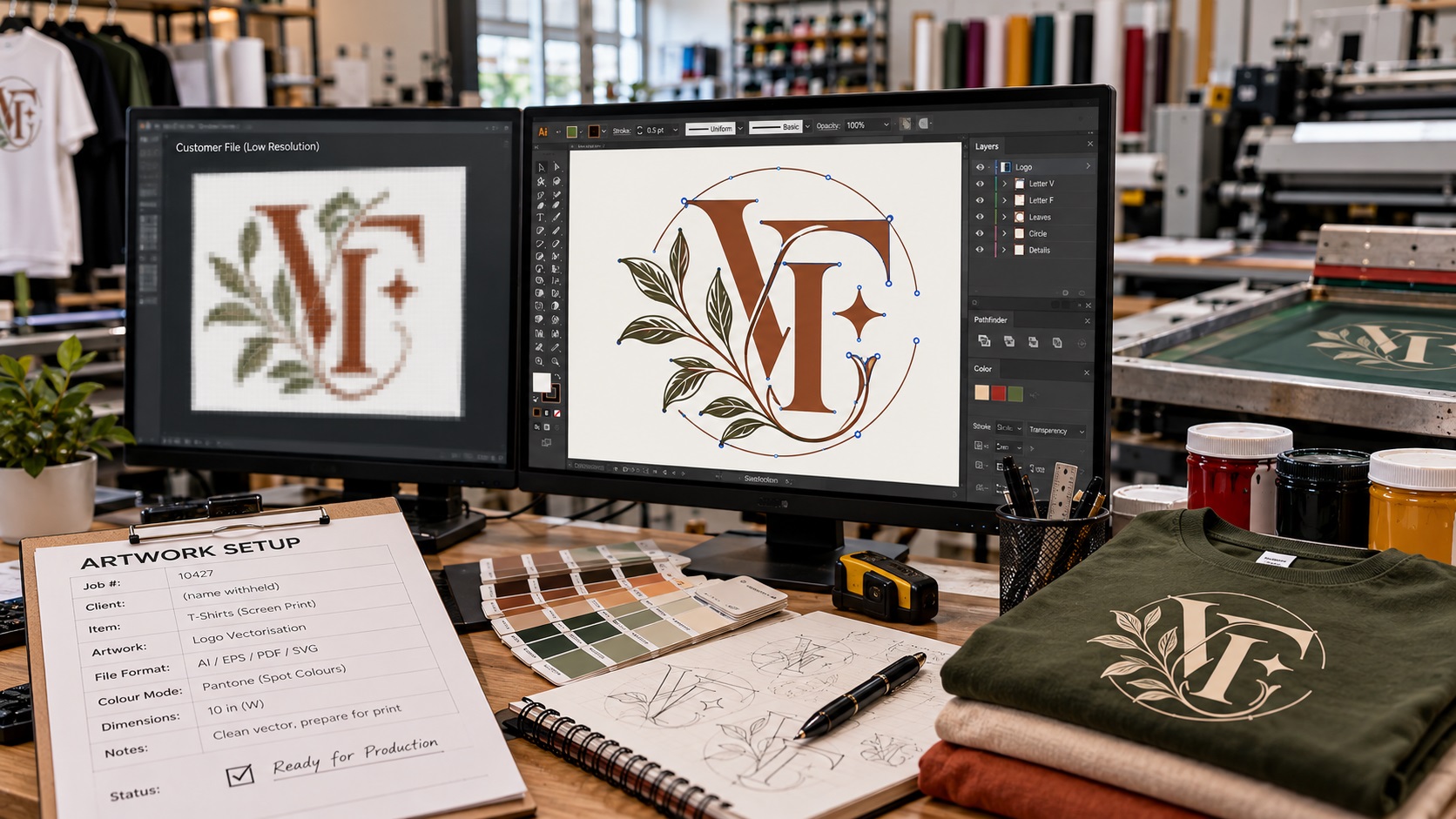
A print shop may quote your shirts, signs, packaging, or banners and then add an artwork fee after looking at your logo. That can feel confusing when you already paid someone to design the logo and the file looks perfectly fine on your phone or website.
The fee is usually not for creating a new logo. It is for making the file usable for the production process you are ordering.
A logo can be visually correct and still need technical work before it can be printed, cut, separated, embroidered, or enlarged. The artwork fee covers that extra preparation.
What an artwork fee usually means
When a print shop says your file needs artwork work, they normally mean one of three things:
- The file is too low resolution for the final size.
- The logo is not actually vector artwork.
- The file has technical problems that have to be fixed before production.
The shop may call this an artwork fee, setup fee, redraw fee, vector fee, prepress fee, or file-preparation charge. The wording changes, but the basic issue is the same. Someone has to spend time making the artwork safe to produce.
Why your logo can look fine but still fail in production
A small PNG can look sharp on a website because it is being displayed close to its original size. Put that same image on the side of a van, a six-foot banner, or the back of a shirt and the pixels become obvious.
A screenshot creates the same problem. Saving a screenshot as a PDF does not turn it into vector artwork. Placing a JPG inside an Illustrator file does not turn it into vector artwork either.
The shop may also receive a file that looks like a vector but has rough auto-traced paths, hundreds of unnecessary points, open shapes, broken lettering, or color noise. Those problems can slow down screen separation, vinyl cutting, engraving, and other production work.
If you only have a PNG, JPG, screenshot, scan, or flattened file, a logo vectorization service can rebuild it into cleaner source artwork before you send it to the printer.
What the print shop may need to fix
The exact work depends on the product you ordered.
For a basic print job, the shop may only need to resize the artwork and convert the colors correctly. That is usually minor file preparation.
For a difficult logo, the work can be much more involved. The shop may need to:
- Redraw blurry edges and shapes.
- Rebuild lettering that became pixelated.
- Convert the logo into true vector paths.
- Remove a white or colored background.
- Close open paths for vinyl cutting or routing.
- Simplify tiny details that will not reproduce well.
- Convert live text into outlines.
- Separate colors for screen printing.
- Replace accidental shades with clean spot colors.
- Fix rough curves from an automatic trace.
- Export the final artwork as AI, EPS, SVG, or vector PDF.
That is design and prepress labor, even if the visual design itself is not changing.
The most common files that trigger artwork fees
A small logo copied from a website
Website logos are often optimized for screens, not production. The file may be only a few hundred pixels wide. That is enough for a header but not enough for a large sign or garment print.
A screenshot from social media
A screenshot has already been resized and compressed. The shop cannot recover the original vector paths from it without rebuilding the design.
A Canva export that is not set up for production
Canva can export useful files, but what the shop receives still matters. A flattened image, unsupported font treatment, or file with the wrong color setup may need additional work.
A PDF that contains only a raster image
PDF is a container format. It can hold vector artwork, raster artwork, or both. A PDF is not automatically print-ready vector artwork.
An automatically traced SVG
SVG is also not a guarantee of clean artwork. An automatic trace may create too many points, uneven edges, overlapping shapes, or dozens of tiny color regions. A production artist may still have to clean it manually.
Is the artwork fee reasonable?
Often, yes. If the shop genuinely has to repair or rebuild your file, that work takes time.
The important question is what the fee includes.
Ask the shop whether the artwork charge is for a temporary production fix or whether you will receive the corrected vector file afterward. Some shops prepare a file only for their own workflow. Others will give you the finished artwork so you can reuse it with another supplier.
If you are paying for a full redraw or vector conversion, it is worth asking whether you will receive the final AI, EPS, SVG, or vector PDF file. That can prevent the same problem on your next order.
When you should ask for more detail
An artwork fee should not be mysterious. If the charge seems high, ask what specifically needs to be done.
A useful question is:
"What is wrong with the file I sent, and what will you change before production?"
The answer should be clear. For example, the shop may tell you that the logo is only 500 pixels wide and needs to be recreated for a large banner. Or they may explain that the file contains live text and missing fonts.
If nobody can explain what is being fixed, ask for clarification before approving the charge.
How to avoid repeated artwork fees
The best solution is to keep one proper master logo package.
For most businesses, that means having:
- An editable AI file.
- An EPS file for broad production compatibility.
- A vector PDF.
- An SVG for web and many modern workflows.
- Transparent PNG files for normal digital use.
- A one-color version of the logo.
- A reversed or white version for dark backgrounds.
Keep those files somewhere your team can find them. Do not rely on the logo copied from your website, email signature, Facebook page, or an old invoice.
When a supplier asks for artwork, send the vector master first. If they need something different, they can tell you exactly what to export.
What if the original logo files are lost?
This is very common. Businesses change designers, employees leave, agencies close, websites get replaced, and ten years later the only surviving logo is a small JPG.
You do not necessarily need a new logo. If the existing design is still correct, it can usually be recreated from the best reference you have.
A clean redraw gives you a proper master file set that can be reused for future printing, signage, embroidery, packaging, and digital work. VectorFixer also offers logo conversion for lost or low-quality files when the current artwork needs to be rebuilt rather than redesigned.
Frequently asked questions
Why is the printer charging me when I already have a logo?
Because owning a logo and having production-ready artwork are not always the same thing. The fee usually covers technical cleanup, redraw, vector conversion, color preparation, or another file-prep task.
Can I avoid the fee by sending a bigger JPG?
Sometimes a larger image is enough for a simple digital print job, but it will not solve every problem. If the shop needs scalable paths, cut lines, color separations, or editable shapes, a true vector file is still the better solution.
If the printer vectorizes my logo, should I get the vector file?
Ask before approving the work. Some shops include the corrected file, while others prepare it only for internal production. If you are paying for a full recreation, getting reusable source files can save money later.
Does saving a PNG as PDF make it print ready?
No. The PNG remains a raster image inside the PDF. The file extension changes, but the artwork itself does not become vector.
Get the file fixed once and keep it
If a printer has told you that your logo needs to be redrawn, vectorized, or cleaned up, you can have the artwork rebuilt as a reusable vector file set instead of solving the same problem order by order.
Send your current logo to VectorFix if you want someone to check what you have and prepare the files your supplier actually needs.
Need artwork converted?
VectorFixer can redraw logos, convert PNG files to SVG, and prepare clean production-ready vector files.
Contact Us