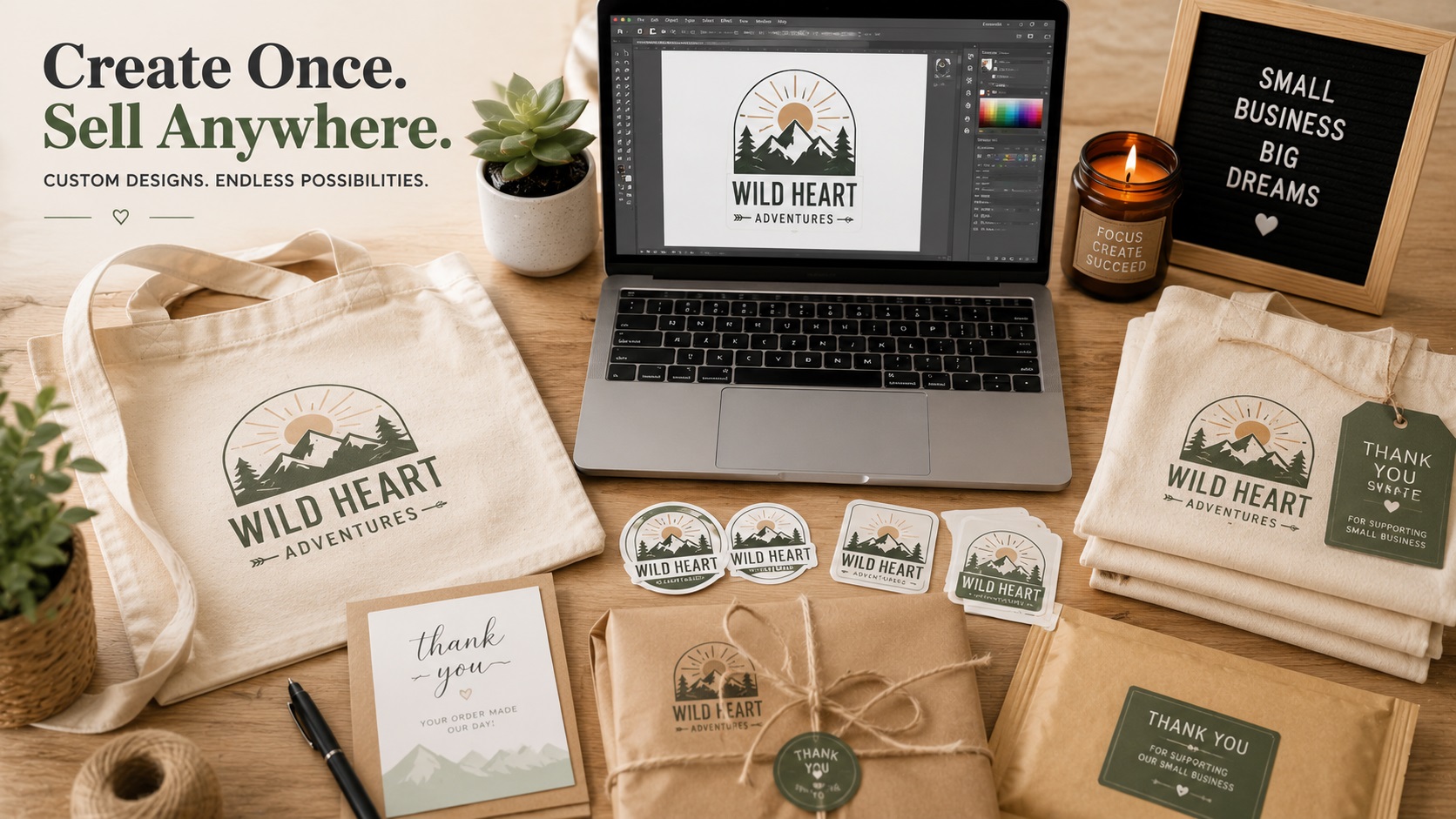
Selling on Etsy is one of the most popular ways to turn a creative skill into a real income. Whether you sell custom apparel, personalised gifts, printed stationery, tumblers, tote bags, or digital downloads, at some point your products involve a design or a logo. And that is exactly where file format problems start to show up.
If you have ever had a print-on-demand partner reject your file, a sublimation design come out blurry, or a customer complain that their custom order looked nothing like the preview, there is a good chance the problem started with the artwork file.
Here is why vector files matter specifically for Etsy sellers and how to make sure you have what you need.
What Kinds of Etsy Products Need Vector Files?
Not every Etsy product needs a vector file, but more of them than you might think do.
Custom apparel and merchandise: If you offer shirts, hoodies, hats, or tote bags with custom logos or designs, screen printers and direct-to-garment printers typically ask for vector files for crisp results. Heat transfer vinyl requires SVG files with clean cut paths.
Personalised gifts with engraving or laser cutting: Laser cutters and engravers work from vector paths, the same way vinyl cutters do. If you sell wooden signs, acrylic keychains, leather patches, or similar items made on a laser cutter, the designs need to be vector files.
Stickers and decals: High-quality sticker printing and die-cutting works best from vector files. The cut lines that define the shape of a sticker need to be vector paths.
Sublimation products: Sublimation printing itself can use high-resolution raster images, but any logo or text element in your design will look sharper if it starts from a vector file rather than a PNG.
Selling SVG files as digital downloads: Many Etsy shops sell SVG files directly as digital products for customers to use with their own Cricut or Silhouette machines. This entire product category is built around vector files.
The Problem With Using Raster Files for Everything
A lot of Etsy sellers start with Canva. It is free, it is easy to use, and it produces results that look good on a screen. The problem is that Canva designs export as PNG or PDF, and while those files work fine for some uses, they run into limits quickly.
A Canva logo on a small sticker might look fine. The same logo stretched across the back of a jacket will look pixelated. A Canva design sent to a print-on-demand partner may get accepted, but the fine details might not print as cleanly as a vector version would.
For sellers who want consistent, professional results across different products and printing partners, vector files are the more reliable foundation.
Why Your Etsy Shop Logo Specifically Should Be a Vector
Your shop logo appears in more places than you might realise. It is on your Etsy banner, your packaging, your thank-you cards, your social media, and potentially on your products themselves. Each of these uses has different size requirements.
A PNG logo that looks fine at 500 pixels wide on your Etsy banner might look soft when printed on the corner of a product box. If you decide to make a sticker of your shop logo to include in orders, that PNG will need to be converted anyway. And if you ever want to get a sign made for a market stall or pop-up shop, you will definitely need a vector file.
Getting your shop logo converted to a vector once means you have a file that works at every size, for every use, without having to solve this problem again later.
SVG Files as Digital Products
If you sell SVG files as digital downloads, the quality of your files directly affects your reviews and your repeat business. Customers who buy your SVG to use on their Cricut expect it to upload cleanly to Design Space and cut without problems.
Common complaints in SVG digital product listings come down to:
- Files that upload but have extra stray paths in unexpected places
- Designs that look fine in the preview but have incorrect cut lines
- Text that converts to shapes incorrectly
- Files that technically open but require a lot of cleanup in Design Space before they work
All of these problems trace back to how the SVG was built. Clean, professionally structured SVG files produce happy customers. Messy auto-traced SVGs produce refund requests.
If you are creating SVG products to sell, having them built or reviewed by a professional vector service is worth the investment. You pay for the quality once. Every customer who buys that file gets a good experience.
How to Get Vector Files for Your Etsy Business
Depending on where you are starting from, there are a few different paths.
If you already have a logo and need it as a vector: A vector tracing or logo vectorization service can convert your existing PNG or JPG into a clean AI, EPS, and SVG set. This is the most common starting point for established Etsy sellers who have been using a Canva logo and are now ready to level up.
If you are creating original designs to sell as SVGs: You will need to build those designs in vector software from the start. Adobe Illustrator is the professional standard, but Inkscape is a free alternative. If you are not comfortable with vector software, a designer can build your designs and deliver clean SVG files you can sell.
If you have an AI-generated design or logo: AI image tools produce raster images, not vectors. An AI logo or design that looks great on screen will need to be redrawn as a vector before it works for printing, cutting, or selling as an SVG digital product.
What to Look for in an SVG File You Plan to Sell
Before listing an SVG as a digital product, check these things:
- Upload it to Cricut Design Space or Silhouette Studio and confirm it loads correctly
- Check that the Layers panel shows the correct number of layers with logical names
- Zoom in on the paths and confirm edges are smooth, not jagged
- Do a test cut on scrap material and confirm the cuts are clean
- Weed the test and confirm that all the sections that should come out do, and nothing tears
If it passes all of these, it is ready to sell. If it does not, it needs more work before customers buy it.
Frequently Asked Questions
Do I need a vector file to sell on Etsy?
Not for all product types. For physical products printed by a partner, requirements vary by the partner. For digital SVG downloads, a clean vector file is the actual product. For your own shop branding, a vector logo is strongly recommended.
Can I sell Canva designs as SVG files?
Canva has specific terms of service around what you can and cannot sell from their platform. Check their licensing terms carefully. Additionally, Canva does not export true vector SVG files the way professional design software does, so the quality of the export may not meet customer expectations for cutting machine use.
My print-on-demand partner accepts PNG. Do I still need a vector?
PNG works for many print-on-demand products, but a vector file gives you more flexibility. If you decide to change partners, expand to products that need vector files, or get your own signage or merchandise made, you will already have what you need.
How much does it cost to get a logo vectorized for my Etsy shop?
For a simple shop logo, professional vectorization typically costs somewhere in the range of $20 to $60 depending on the complexity. It is a one-time cost that gives you files you can use indefinitely.
What file formats should I offer if I sell SVG digital downloads?
Most buyers expect SVG as the primary file. Including a PNG version as a bonus is good practice since some customers use the designs for iron-on transfers, sublimation, or other processes where a PNG works fine. A DXF file is also useful for customers who use older cutting machines that prefer that format.
Need artwork converted?
VectorFixer can redraw logos, convert PNG files to SVG, and prepare clean production-ready vector files.
Contact Us