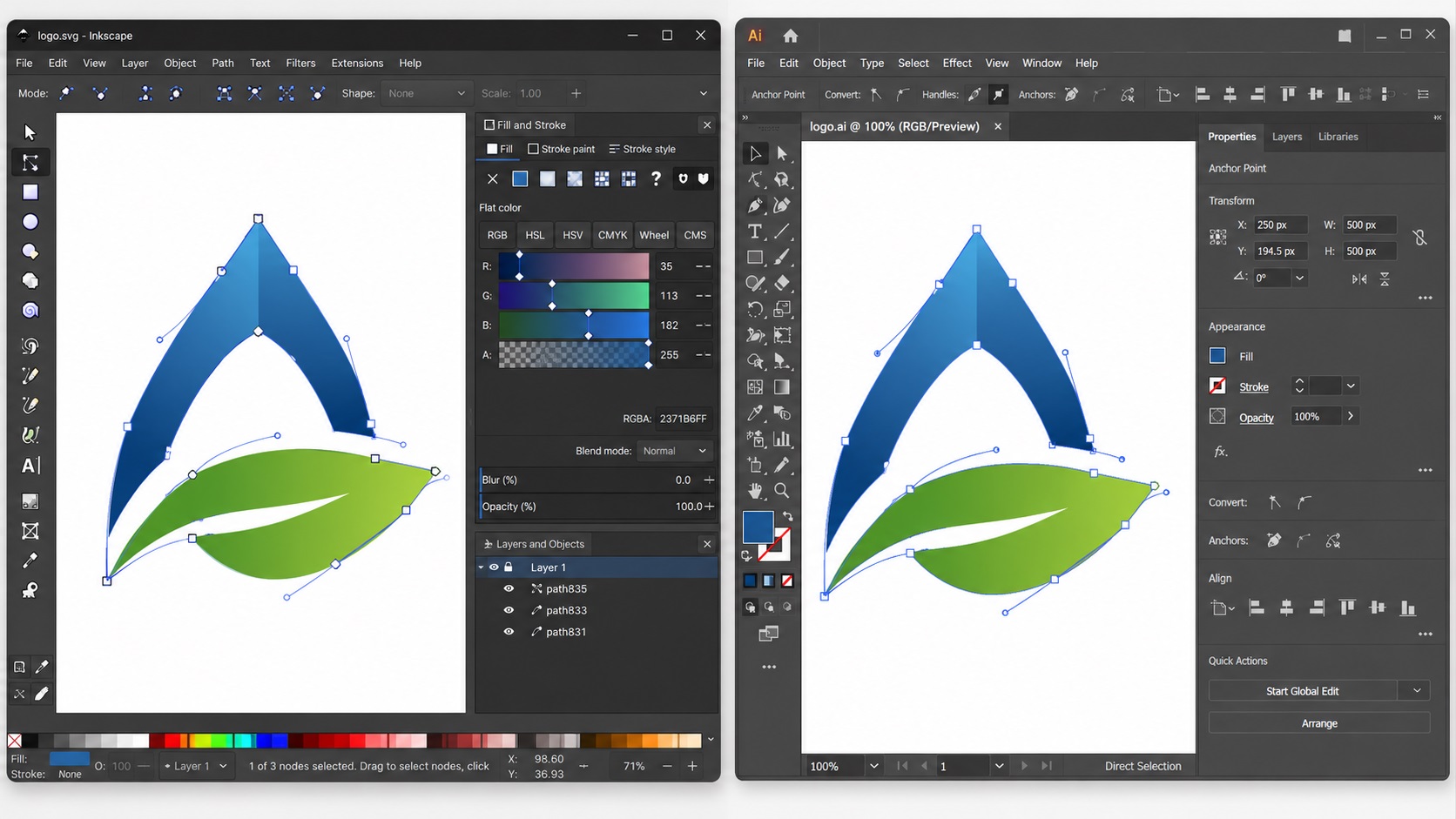
Adobe Illustrator is the industry standard for vector design, but it costs money every month. Inkscape is free, open source, and capable of producing real vector files. For a lot of people, especially those just getting started with vector work or running a tight budget, Inkscape is a tempting alternative.
Quick Answer
Inkscape is good enough for many SVG tasks, simple logo edits, icons, and basic vector artwork. It becomes less reliable when a printer needs specific EPS, AI, PDF, color, font, or production settings. If a file was auto-traced or rejected by a vendor, it may need professional vector cleanup rather than another export.
Relevant VectorFixer service: Vector Cleanup Service.
So is it actually good enough? Here is an honest look at what Inkscape does well, where it falls short, and how to know which tool makes sense for your situation.
What Inkscape Is
Inkscape is a free, open source vector graphics editor that runs on Windows, Mac, and Linux. It works with SVG as its native file format and has been around since 2003. It is a real vector program, not a toy, and it produces real vector files that can be scaled, edited, and used for print and digital applications.
For many basic vector tasks, Inkscape is completely capable. For professional production workflows and advanced design work, it has gaps that matter.
What Inkscape Does Well
Basic Vector Drawing and Editing
Inkscape's pen and bezier tools work well for drawing and editing vector paths. You can create clean shapes, adjust anchor points, manipulate curves, and build out logos and illustrations. The core vector drawing functionality is solid.
SVG Files
Inkscape is essentially built around SVG. If SVG is your primary output format, whether for web use, Cricut cutting, or digital applications, Inkscape handles it naturally and cleanly. This is where it is most at home.
Tracing Raster Images
Inkscape has a built-in auto-tracing function called Trace Bitmap, which works similarly to Adobe Illustrator's Image Trace. It can convert a raster image to vector paths automatically. Like Image Trace, it works best on simple high-contrast images and produces messier results on complex or gradient-heavy artwork.
Text to Vector Conversion
Inkscape can convert text to outlines (called Convert Object to Path in Inkscape), which is necessary before sharing files with printers or cutting machine software that may not have your fonts installed.
Free and Open Source
For individuals and small businesses who cannot justify an Adobe subscription, Inkscape provides genuine vector capability at zero cost. This alone makes it worth knowing.
Where Inkscape Falls Short
CMYK Color Support
This is the most significant limitation for anyone doing professional print work. Inkscape works in RGB. It does not have native CMYK support, which means you cannot properly define or preview CMYK colors within Inkscape.
For print production where color accuracy matters, this is a real problem. You can export from Inkscape and convert to CMYK in other software, but this adds steps and introduces the risk of color shifts. Print shops and sign shops that expect CMYK artwork may have issues with files built in Inkscape.
Pantone and Spot Color Support
Inkscape has no built-in support for Pantone colors or spot colors. For screen printing, specialty label printing, or any workflow that requires spot color setup, Inkscape is not the right tool.
File Format Compatibility
Inkscape's native format is SVG. It can open and export EPS and PDF, but the results are not always perfect. AI files (Adobe Illustrator's native format) can be opened in Inkscape as PDFs, but some elements may not translate correctly. If your print vendor or client expects an AI file, Inkscape cannot produce one natively.
EPS export from Inkscape works for many purposes, but some printers find that Inkscape-generated EPS files have compatibility issues with older or specialized print software.
Performance and Stability
On complex files with many paths and objects, Inkscape can become slow and sometimes unstable. Illustrator handles complex files more smoothly, which matters when working on detailed logos or multi-element compositions.
Professional Workflow Features
Features like advanced color management, overprint settings, packaging dieline setups, and the kinds of professional pre-press controls that print vendors expect are limited or absent in Inkscape. For occasional personal projects this does not matter much, but for commercial print production it can be a problem.
Who Inkscape Makes Sense For
Inkscape is a good choice if:
- You need to create or edit SVG files for web use or cutting machines
- You are learning vector design and want to develop skills before committing to a paid tool
- Your output is primarily digital rather than commercial print production
- You are working on a tight budget and the CMYK limitation does not affect your use case
- You want a free tool for occasional simple vector tasks
When You Should Use Illustrator Instead
Illustrator is the better choice if:
- You regularly send files to commercial print vendors who expect CMYK or AI files
- You need to specify Pantone or spot colors for screen printing or packaging
- You are doing professional logo design work for clients
- File compatibility with other designers or vendors matters
- You need advanced color management or pre-press features
A Practical Approach for Small Businesses
If your budget is tight and you just need to do basic vector work occasionally, Inkscape is a legitimate option. Build your designs in Inkscape, export as SVG or PDF, and check with your specific print vendor about whether they can work with those formats.
If you are having a logo professionally vectorized through a service, the output will typically be in AI and EPS formats from Illustrator, which you can then open and edit in Inkscape for basic changes if needed.
The most practical approach for most small businesses is not to choose one tool or the other, but to have the right file format delivered by whoever does your professional vector work, and then use Inkscape for any basic edits or digital applications where its limitations do not matter.
Have an Inkscape SVG that needs cleanup?
If your SVG opens but has messy paths, rough curves, bad exports, or printer problems, VectorFixer can clean the file and prepare vendor-ready formats. Use the project submission form to upload the artwork and include any vendor requirements.
Related Guides
Frequently Asked Questions
Can I open Illustrator AI files in Inkscape?
Sometimes, but not always cleanly. AI files are technically PDF-based and Inkscape can attempt to open them as PDFs, but some elements like complex gradients, live effects, or certain font treatments may not translate correctly. For serious editing of AI files, Illustrator is still the right tool.
Can I use Inkscape files with my Cricut?
Yes. Inkscape exports clean SVG files that work well with Cricut Design Space and similar cutting machine software. This is one of Inkscape's strongest use cases.
Is Inkscape good enough for professional logo design?
For digital-first projects and SVG output, yes. For commercial print production requiring CMYK, Pantone colors, or AI file delivery, Illustrator is the more appropriate tool.
Can Inkscape do manual vector tracing like a professional service does?
Yes, the pen tool in Inkscape works the same way as in Illustrator and can produce clean manual traces. The quality of the output depends on the skill of the person using it, not the software itself.
Does Inkscape work on Mac?
Yes, though the Mac version has historically had some interface quirks compared to the Windows version. Recent versions have improved Mac compatibility significantly.
Need artwork converted?
VectorFixer can redraw logos, convert PNG files to SVG, and prepare clean production-ready vector files.
Contact Us